

Use N8N Within GFunnel: Seamless AI-Driven Workflows to Channel Your Success
Table of Contents
- Table of Contents
- The entrepreneurial challenge: Too many tools, too little time
- GFunnel’s all-in-one solution: How to Use N8N Within GFunnel
- Why Use N8N Within GFunnel: Five transformation drivers
- Real-world examples: How entrepreneurs Use N8N Within GFunnel
- Deep dive: How it works technically and best practices
- Building a frontend quickly: An example using AI UI builders
- Security, governance, and observability
- Scale considerations: From solo founder to growing team
- Where to go from here: Tools and resources
- Real results: What entrepreneurs report
- Mindset and strategy: Channeling your success
- Implementation checklist
- Frequently asked questions
- Conclusion
Table of Contents
- Entrepreneurial Challenges: Why integration matters
- GFunnel’s All-in-One Solution and how to Use N8N Within GFunnel
- Real-world examples connecting AI and workflows
- Deep dive: Features and setup patterns
- Mindset, growth strategies, and next steps
- FAQs
The entrepreneurial challenge: Too many tools, too little time
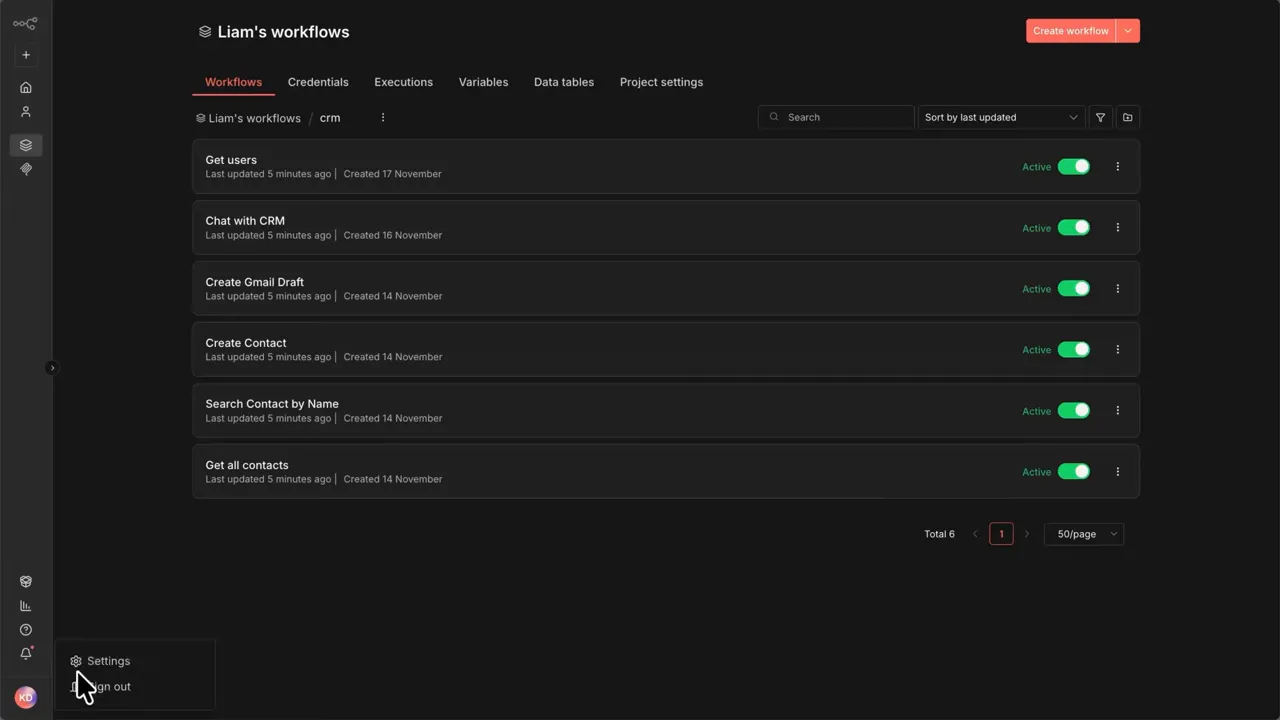
Using automation well means more than moving data. It means enabling your AI tools to understand and act on the exact processes and rules you already use. That is where the ability to Use N8N Within GFunnel makes a strategic difference. You keep the processes you trust in N8N and let GFunnel orchestrate contacts, pages, and customer touchpoints—while AI queries or triggers those workflows when needed.
What entrepreneurs need is less context-switching and more predictable outcomes. When an AI can search, view, and run your workflows directly, the entire customer lifecycle becomes faster and more personalized.
GFunnel’s all-in-one solution: How to Use N8N Within GFunnel
GFunnel bundles tools designed to run an online business: Lead Connector for CRM and funnels, Flows AI for automations and AI-driven messaging, AI-powered contract management, a drag-and-drop website builder, and analytics to guide decisions. Each piece is valuable on its own. Combined with the capability to Use N8N Within GFunnel, they become a coherent system that extends your business logic into AI assistants and frontend builders.
Lead Connector: Your CRM backbone
Lead Connector stores contacts, captures form submissions, and powers conversion-focused pages. When you Use N8N Within GFunnel, Lead Connector can trigger external workflows in N8N for enrichment, background checks, scoring, or custom routing. That keeps the CRM simple and reliable while outsourcing complex logic to N8N.
Flows AI: Automations that think
Flows AI orchestrates multi-step customer journeys and messaging. By connecting Flows AI to N8N workflows you can add custom actions like generating contracts, running complex data transformations, or integrating with services that GFunnel does not natively support. In short, using N8N within your GFunnel flows gives you unlimited customization without bloating the main app.
AI-powered contract management
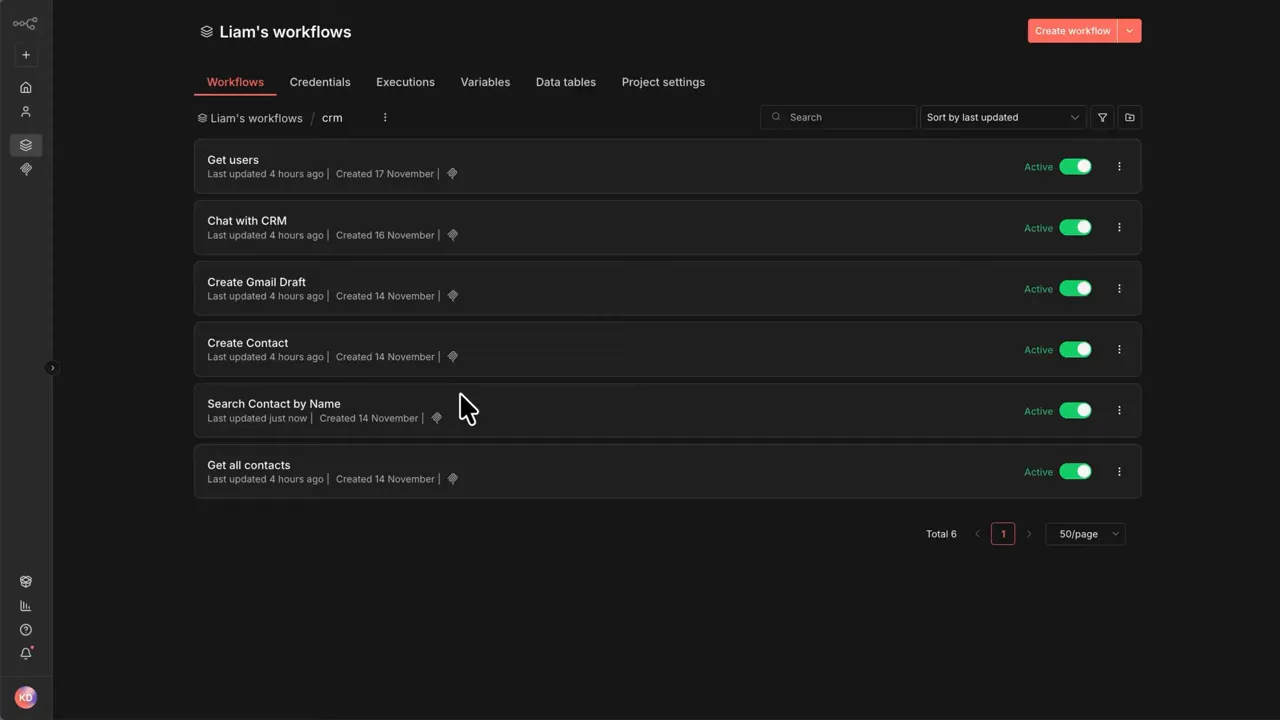
Contracts, signature flows, and document automation are common bottlenecks. With the ability to Use N8N Within GFunnel you can automate contract generation, route documents for signatures, and record outcomes back in Lead Connector. N8N can handle the external APIs while GFunnel maintains a clean interface for the user.
Website builders, landing pages, and funnels
Drag-and-drop page builders are great for speed. When you Use N8N Within GFunnel, page actions can trigger N8N webhooks to perform real-time validations, credit checks, or complex personalization before completing a funnel step. That gives the best of fast design and robust backend logic.
To get started with GFunnel: create an account at https://www.gfunnel.com/create-account and explore the CRM overview at https://www.gfunnel.com/crm. For automation resources visit https://www.gfunnel.com/automation-home and for platform access see https://www.gfunnel.com.
Watch how GFunnel transforms businesses in this deep dive.
Why Use N8N Within GFunnel: Five transformation drivers
- Context-aware AI actions — AI tools can inspect and execute your exact workflows, so interactions stay consistent with your processes.
- Keep your logic where it belongs — Complex routing and integrations stay in N8N while GFunnel remains the customer-facing system.
- Faster frontends — Connect front-end builders to N8N-powered endpoints to build UI experiences without re-implementing backend logic.
- Lower friction for non-technical users — Enable AI builders to read workflow contexts so they can generate UIs and flows without manual mapping.
- Scalability and ownership — Self-host or run cloud deployments while maintaining the freedom to evolve workflows as business needs change.
Real-world examples: How entrepreneurs Use N8N Within GFunnel
Stories stick because they show practical outcomes. Below are three realistic examples that reveal what is possible when you connect N8N’s workflows to GFunnel’s stack.
Example 1: Personalized sales outreach triggered by AI
Situation: A creator uses Lead Connector to collect new subscribers. They want tailored outreach based on a survey but don’t want to duplicate scoring logic.
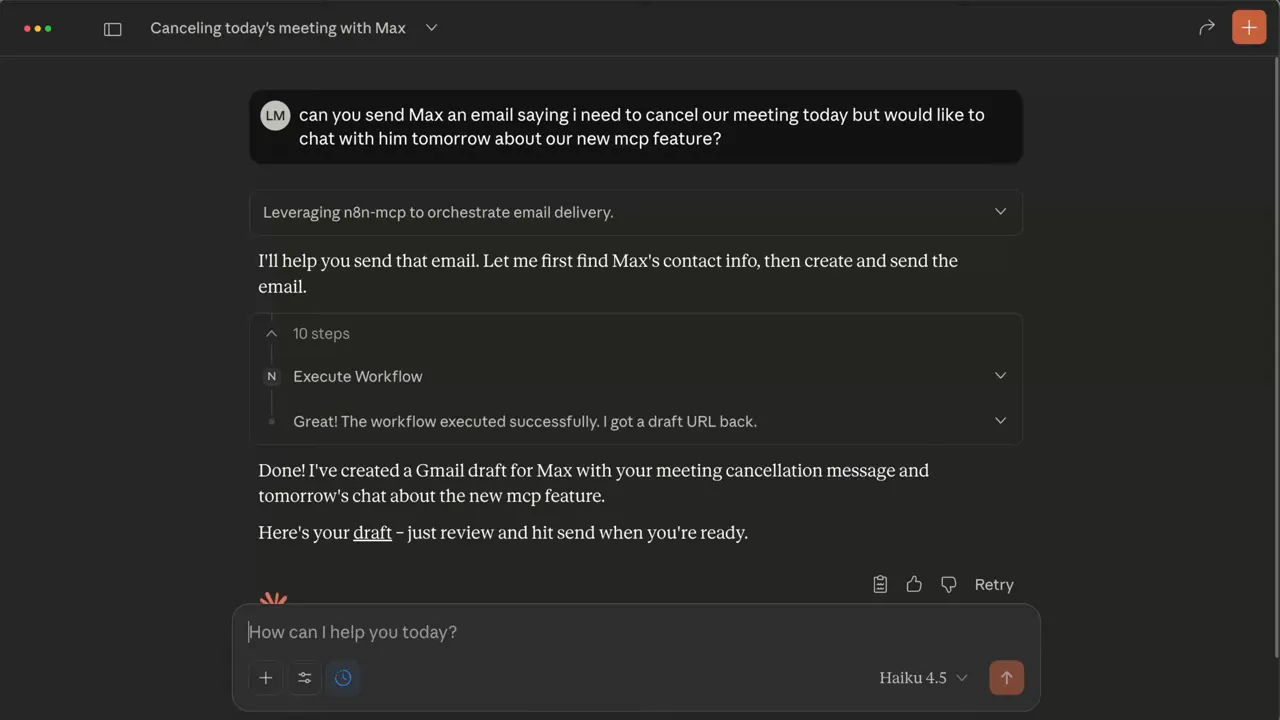
Solution: When a lead completes a GFunnel form, Lead Connector sends the data to an N8N webhook. The N8N workflow enriches the lead, runs a scoring algorithm, and returns a recommended message. Flows AI picks up that recommendation and initiates a personalized sequence. The AI assistant can also query the same workflow on demand to fetch lead history, so every message remains consistent.
Result: Higher reply rates and fewer manual adjustments. Because the scoring lives in N8N, it can evolve independently and be reused across multiple funnels.
Example 2: AI-assisted customer support that acts
Situation: Support agents want fewer repetitive lookups and faster resolution for billing questions.
Solution: An AI chat widget integrated with GFunnel can query N8N workflows to pull billing history, subscription status, and retention offers. The AI can even execute a workflow to create a credit, open a ticket, or trigger a follow-up email. Agents see the same data in Lead Connector, keeping records synchronized.
Result: Reduced response times and a unified audit trail inside the CRM.
Example 3: Fast frontends from AI builders
Situation: A product team needs an internal bug tracker UI linked to a database of bug reports and workflows to assign and escalate issues.
Solution: The team builds simple N8N workflows that accept webhook calls to create and update bug reports. An AI builder like Lovable (or any builder that reads workflow context) connects to the instance and reads the available triggers and parameters. It generates a UI in minutes and wires the submit button to the N8N webhook. When users report bugs from the UI, N8N stores them and returns structured responses that the UI displays.
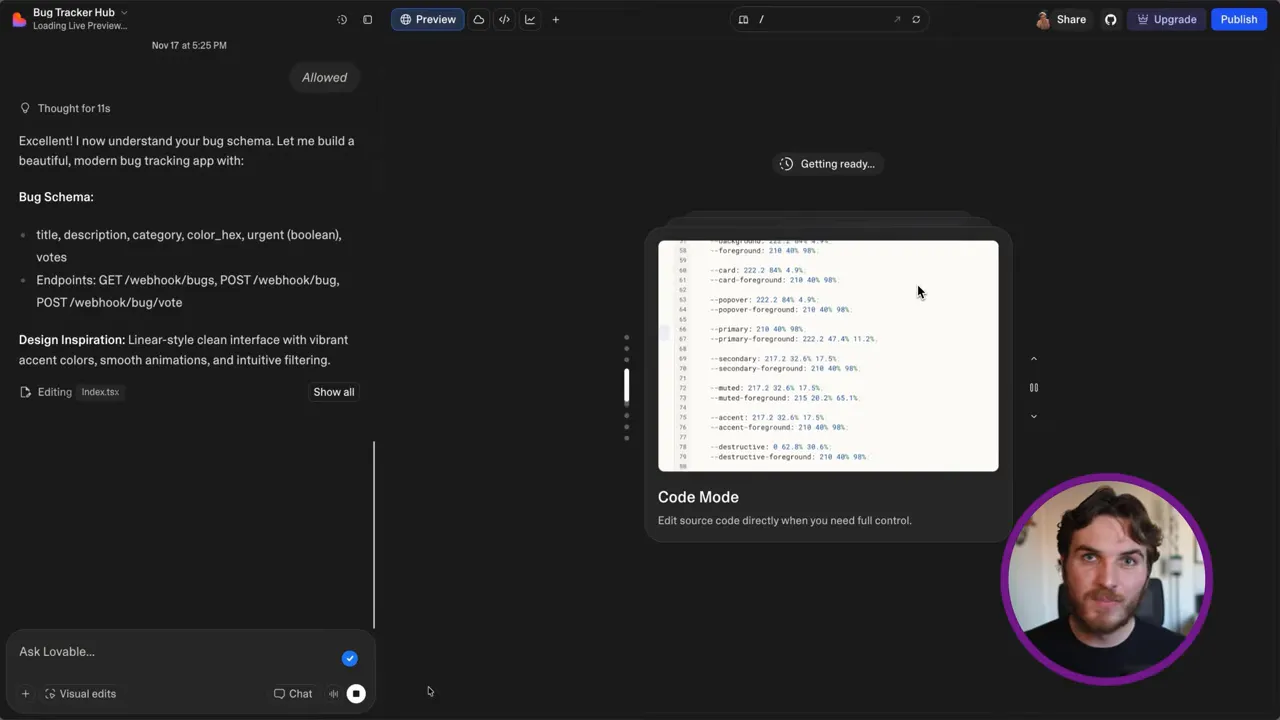
Result: A polished internal tool built in minutes without writing frontend code, leveraging existing workflows and logic.
Deep dive: How it works technically and best practices
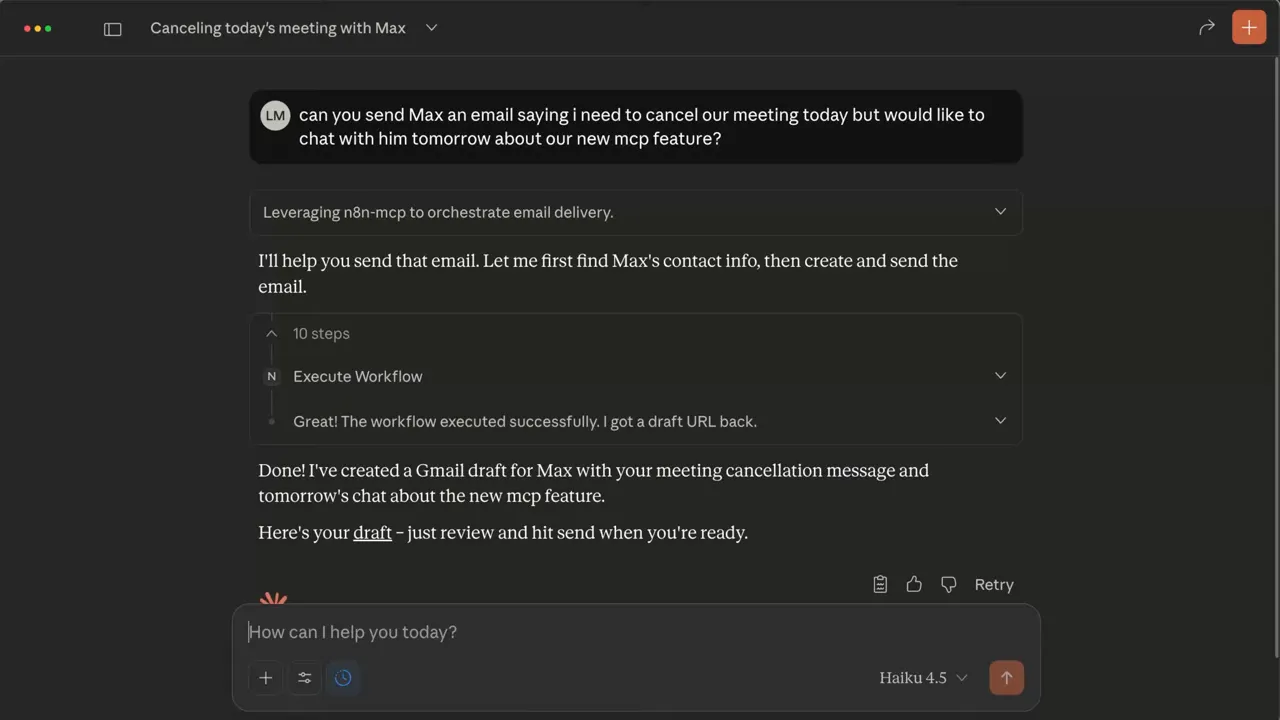
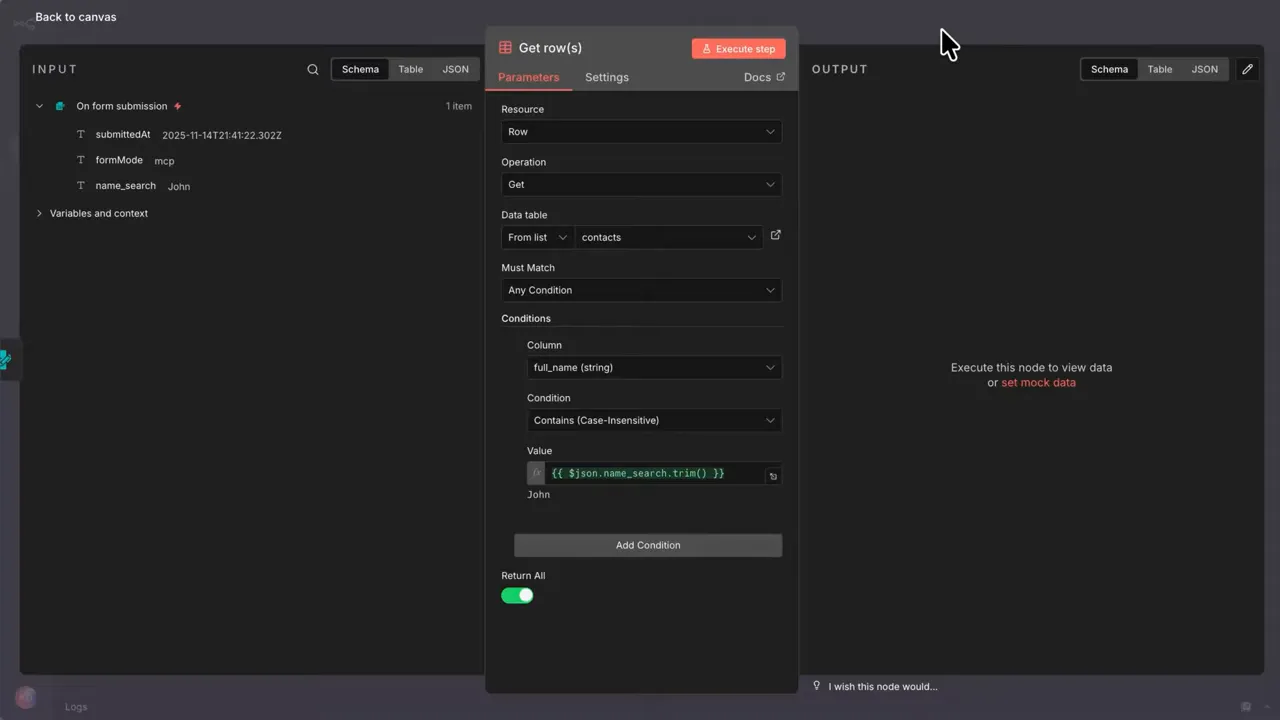
At a high level, the pattern to Use N8N Within GFunnel involves three components: triggers, workflows, and connectors. The common trigger types are forms, webhooks, scheduled jobs, and chat triggers. Each workflow exposes the necessary input schema and can be toggled for external access. The AI or builder connects using a standard protocol to search, view, and execute those workflows.
Setup pattern
- Design workflows in N8N for business logic: enrichment, scoring, document generation, or third-party API orchestration.
- Enable external access in your N8N instance and expose specific workflows that should be accessible.
- Connect GFunnel components or AI builders to the N8N instance using MCP or webhook endpoints.
- Test flows: query, execute, and verify that Lead Connector and Flows AI get the expected responses.
- Monitor and iterate: use N8N logs and GFunnel analytics to refine the flows and prompts.
When you Use N8N Within GFunnel, security and governance matter. Expose only the workflows you want, set permissions carefully, and treat the connection like any external API. Keep personal data handling compliant with your policies.
Practical tips for reliable integrations
- Design idempotent workflows so repeated calls do not create duplicate records.
- Return clear structured responses from workflows; AI builders and GFunnel flows parse structured JSON much more reliably than free text.
- Include versioning in workflows so frontends and AI connectors can reference stable endpoints during rollout.
- Use webhooks for UI events to keep interactions synchronous and responsive.
- Monitor and alert on errors; an AI assistant calling a workflow should surface actionable error messages.
Building a frontend quickly: An example using AI UI builders
One of the most compelling outcomes of combining GFunnel and N8N is how AI builders can automatically create frontends by inspecting workflows. Provide a set of well-documented webhooks in N8N that accept clear payloads. An AI builder that can "read" those workflows will automatically map inputs to UI fields, create submit buttons, and wire responses back to the UI. That lets entrepreneurs prototype internal tools and customer experiences in minutes.
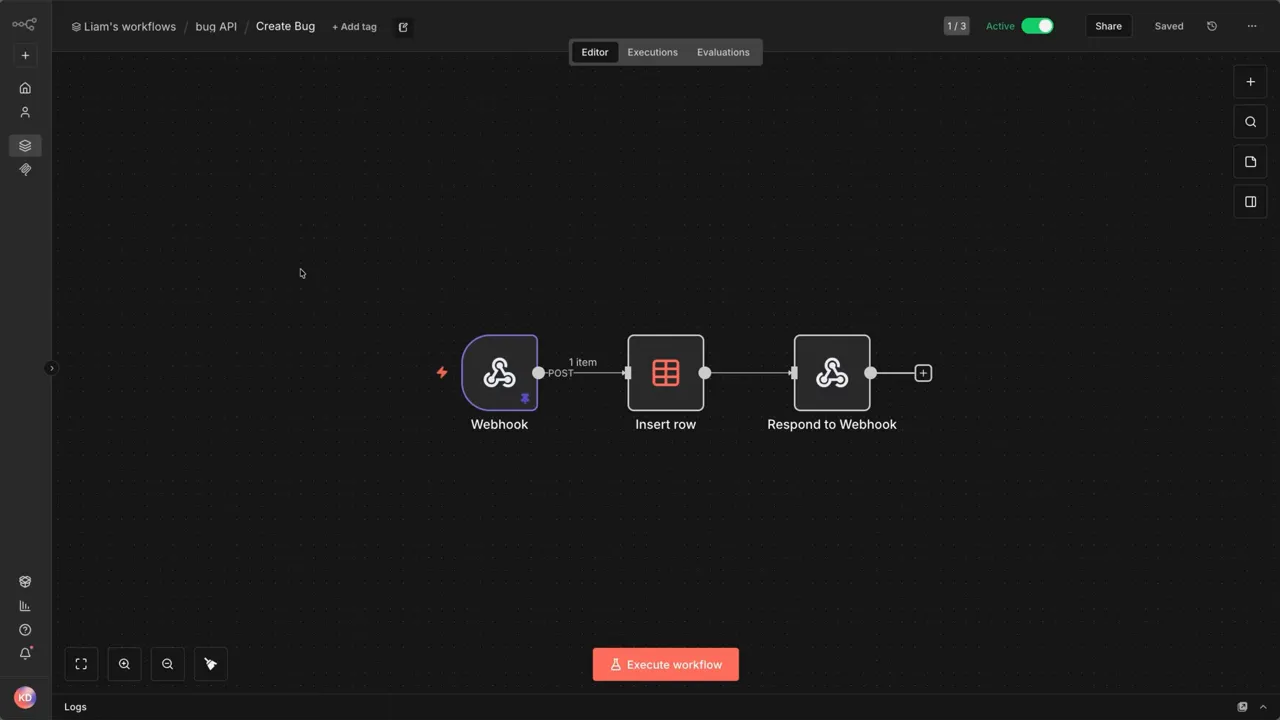
Here is a minimal pattern for a bug-reporting flow:
- Create an N8N webhook trigger that accepts title, description, reporter, and attachments.
- Process inputs in N8N: validate, enrich, store in your database, notify assignees, and return a summary payload.
- Connect the webhook to an AI builder or GFunnel page that auto-creates the form.
- Submit and verify the report appears in both the UI and the Lead Connector record for the reporting user.
By following this pattern you can rapidly orchestrate customer-facing UIs without front-end engineers. That is one of the practical ways to Use N8N Within GFunnel for fast product iteration.
Security, governance, and observability
When AI systems run workflows, everyone expects safe and auditable outcomes. Basic practices that keep integrations healthy include:
- Expose only required workflows to external access.
- Authenticate every connection and rotate keys regularly.
- Log each invocation for auditing and billing reconciliation.
- Return human-friendly error messages that include debugging hints for engineers.
Proper logging and monitoring turn thrown errors into learning opportunities. In practice, an AI can even highlight how to fix a misconfigured workflow if the error is descriptive enough and you expose the context. That reduces troubleshooting time and improves reliability.
Scale considerations: From solo founder to growing team
Start simple. Build a couple of core workflows in N8N—lead enrichment, contract generation, and a ticketing hook—and connect them to the GFunnel features you use most. As you grow, split workflows into reusable modules, add queues for heavy tasks, and push high-volume integrations to dedicated workers.
Using N8N Within GFunnel allows teams to keep GFunnel as the surface layer for customers while moving integration complexity into N8N. That reduces the cognitive load on the rest of the product and keeps cost predictable.
Where to go from here: Tools and resources
Start by inventorying the repetitive manual tasks you or your team do every week. For each task, ask: would a workflow be able to do this reliably? If yes, plan a small N8N workflow and decide where GFunnel should trigger it.
Key GFunnel pages to explore:
- GFunnel homepage: https://www.gfunnel.com
- Create account: https://www.gfunnel.com/create-account
- Automation hub: https://www.gfunnel.com/automation-home
- CRM overview: https://www.gfunnel.com/crm
- Apihub for integrations: https://apihub.gfunnel.com
Real results: What entrepreneurs report
Entrepreneurs using integrated stacks that let them Use N8N Within GFunnel often describe three consistent outcomes:
- Time reclaimed — repetitive tasks become automated pipelines.
- Improved conversion — personalized outreach and better lead routing increase sales velocity.
- Faster productization — building internal tools or customer-facing flows takes days instead of weeks.
Mindset and strategy: Channeling your success
Tools multiply what you do. The right combination of GFunnel and N8N expands what is possible by allowing you to define repeatable processes and let AI and automation execute them. That creates leverage: one repeatable workflow can serve hundreds or thousands of customers and remain consistent every time.
Adopt a builder mindset. Treat your workflows as living assets: version them, test them, and document their inputs and outputs. When you Use N8N Within GFunnel, you create a system that learns and scales with your business.
Implementation checklist
- Identify 3 repeatable tasks that cost you time.
- Prototype N8N workflows for each task with webhook triggers.
- Expose workflows selectively and secure the connection.
- Connect GFunnel components (Lead Connector, Flows AI, pages) to those workflows.
- Monitor results, collect feedback, and iterate.
Frequently asked questions
What does it mean to Use N8N Within GFunnel?
It means connecting N8N workflows to GFunnel features so AI tools, pages, and automations can search, view, and execute workflows directly. That unlocks richer automations and lets you keep complex logic in N8N while GFunnel handles customer-facing functionality.
Can I use this with Lead Connector and Flows AI?
Yes. Use N8N Within GFunnel to trigger enrichment, scoring, contract generation, or other integrations from Lead Connector and Flows AI. The combination preserves GFunnel as the CRM and funnel layer while N8N handles external integrations and logic.
Is it secure to expose workflows to AI builders?
Yes, when done correctly. Expose only the workflows you need, authenticate connections, monitor invocations, and use structured responses. Treat the connection like any external API and follow your data governance processes.
Do I need to be technical to Use N8N Within GFunnel?
Basic N8N workflows are approachable for non-developers, and GFunnel’s builders simplify frontend tasks. For complex integrations, a developer or consultant can help initially, after which many entrepreneurs maintain and adapt workflows themselves.
Where can I learn more and get started?
Create an account at https://www.gfunnel.com/create-account and explore automation resources at https://www.gfunnel.com/automation-home. For developer integrations visit https://apihub.gfunnel.com for examples and API details.
Conclusion
Using automation and AI to scale is not just about tools; it is about putting predictable processes in place so your business can grow without chaos. When you Use N8N Within GFunnel, you gain a practical pattern: keep your business logic in flexible workflows while GFunnel manages customers, pages, and analytics. That symmetry lets founders build faster, personalize at scale, and free up time to do higher-value work.
Start by mapping the small repeatable tasks that slow you down. Then design simple N8N workflows, expose them safely, and connect them to Lead Connector and Flows AI. The result is a unified, auditable, and extensible automation architecture that channels your success.
Get started at https://www.gfunnel.com and see how combining GFunnel with N8N can convert busy work into business growth.