

Unlocking the Power of Voice AI: Instant Testing for Your Agents
What’s New in Voice AI?
Why This Matters
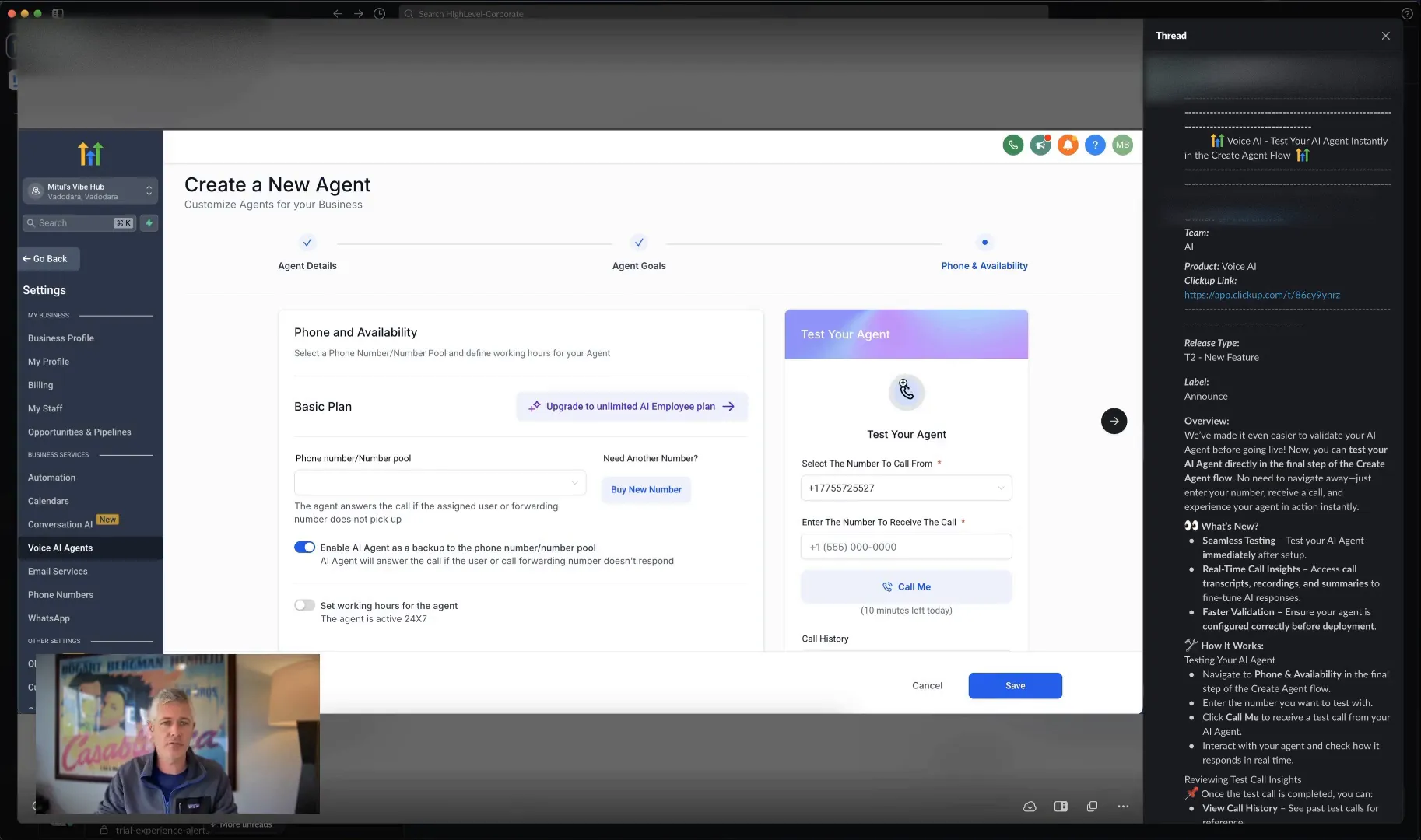
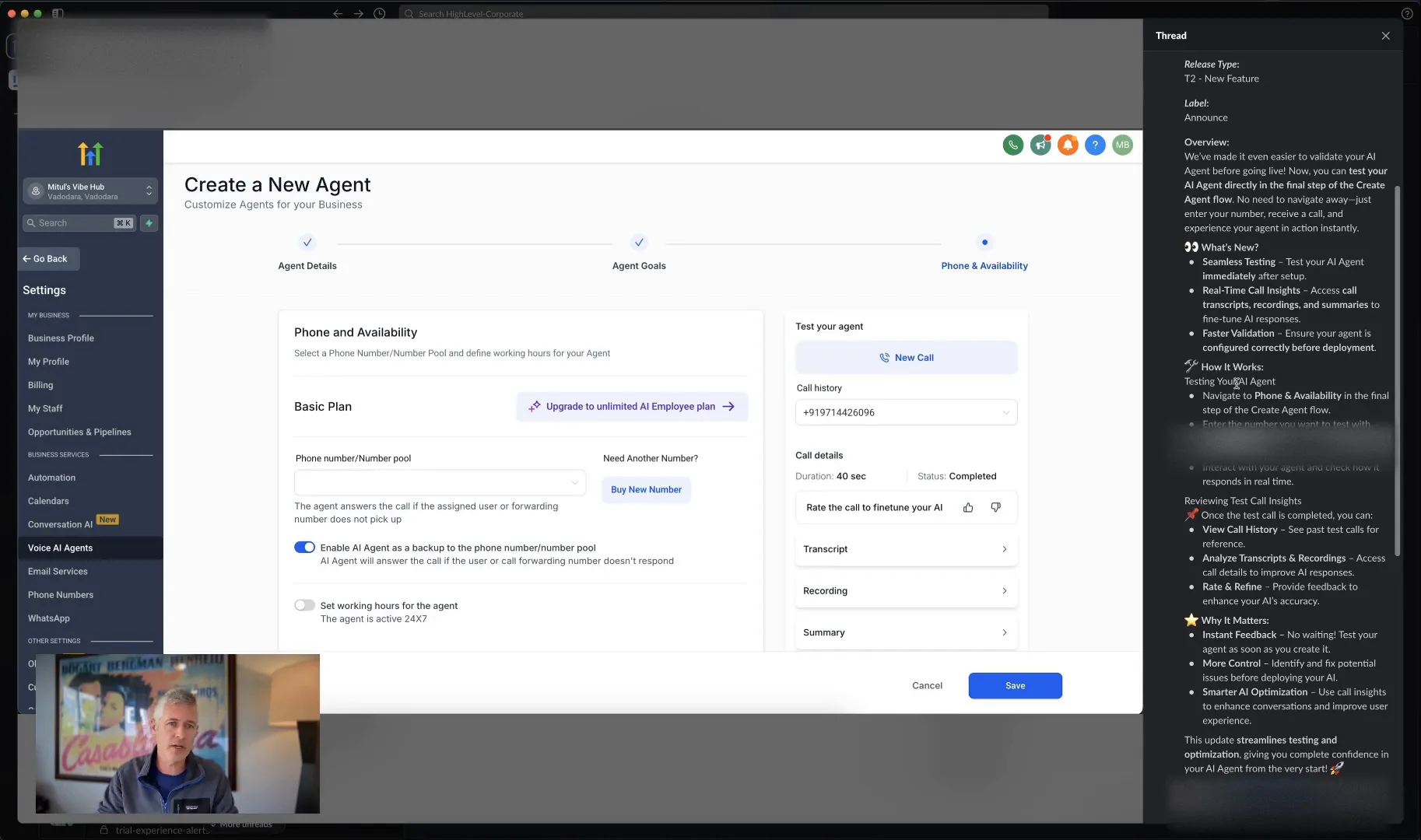
This new capability will help you radically refine your AI agent. You’ll be able to make adjustments and continue testing until you’re satisfied with the performance. The team really knocked it out of the park with this update!
Accessing this feature is straightforward. Just navigate to your Voice AI section, and when you’re creating or editing an agent, the option to test your agent will pop up. It’s that simple!
Final Thoughts
As a reminder, you can always pause to check the notes on the right-hand side if you want to dig deeper into the specifics. I hope you're having an amazing Thursday, and I look forward to seeing you in the next update!
Frequently Asked Questions (FAQs)
1. What is Voice AI?
Voice AI is a technology that allows businesses to automate inbound phone calls using artificial intelligence, providing seamless customer interactions without human intervention.
2. How do I test my AI agent?
You can test your AI agent instantly in the Create Agent flow by calling it while you are setting it up. This allows you to see how your changes perform in real-time.
3. Why is testing important before launch?
Testing is crucial as it helps you refine the agent's performance, ensuring it meets the needs of your business and provides a better experience for your customers.
4. How can I access this feature?
Simply go to your Voice AI section while creating or editing an agent, and the testing option will appear. It's designed to be user-friendly!
For more insights and tools to enhance your business, don’t forget to explore GFunnel and see how we connect entrepreneurs, creators, and businesses. Let's channel your success together!