

Unlocking the Power of the Prospecting Tool: Grading and Navigation Features
Overview of the Prospecting Tool
Introducing the Grading Feature
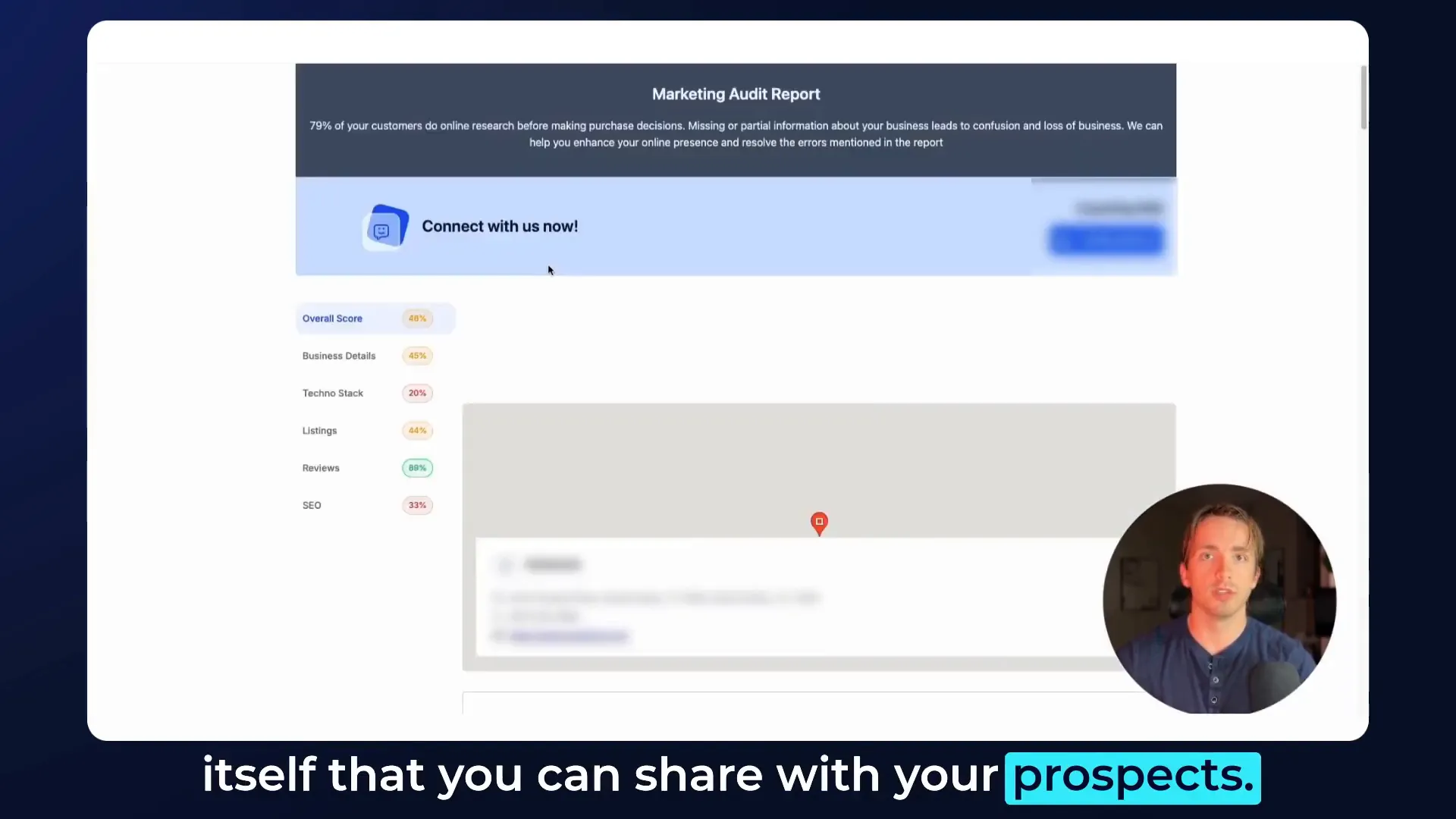
The grading feature is a game changer. You’ll notice little percentage scores next to each section of the marketing audit. These grades provide a quick snapshot of how well different aspects of your marketing strategy are performing. For instance, if you look at the tech stack or SEO sections, you’ll see these percentages indicating where improvements can be made.
Navigation Sidebar: A Seamless Experience
Next up is the navigation sidebar. This sidebar allows you to jump between different sections of the marketing report, including:
- Overall Score
- Business Details
- Tech Stack
- Listings
- Reviews
- SEO
Each of these sections comes with its own individual grade, displayed prominently both at the side and at the top of each section. This feature makes it easier to navigate through the marketing audit, allowing you and your prospects to focus on areas that need attention.
Benefits of the New Features
So, what does this mean for you? These improvements make it incredibly easy to demonstrate to your prospects where they’re struggling. By showing them their grades in various sections, you can articulate how your services can help them improve their marketing strategies. It’s all about making the process as transparent and straightforward as possible.
Moreover, this streamlined navigation allows for efficient audits, which can ultimately help close more deals. When prospects see clear data and actionable insights, they’re more likely to engage with your services.
How to Access and Use These Features
To access these features, simply log into your agency view and navigate to the prospecting tool. Once there, you’ll see the grading percentages and the navigation sidebar immediately. Click on any section to dive deeper into the analysis and understand the metrics better.
For those who want to share their findings with prospects, the share report feature has been enhanced as well. You can easily generate a link to share the marketing audit report, complete with all the new grading and navigation features.
Conclusion: Embrace the Changes!
I’m genuinely excited about these updates to the prospecting tool. They’re designed to simplify your workflow and enhance your ability to provide valuable insights to your prospects. If you have any questions about these new features or how to leverage them effectively, feel free to leave a comment below. Your feedback is always appreciated!
Thanks for tuning in, and I can’t wait to see how you utilize these new features in your prospecting efforts!