

Unlocking the Power of Custom Objects and Associations in APIs
What’s New in the API?

Understanding Custom Objects
With the new update, you can create, read, update, and delete these custom objects using the API. This flexibility allows you to integrate them seamlessly into your existing workflows. For example, if you have a custom object named "Order," you can manage it just like any standard object through the API.
Associations: Building Connections
Associations allow you to define relationships between different objects. This means you can link your custom objects to standard objects or even to other custom objects. For example, you might want to associate a "Customer" object with an "Order" object to track which customers are making purchases.
These associations can help you maintain the integrity of your data and provide a more cohesive view of your business processes. It’s essential to understand how to create and manage these associations effectively.
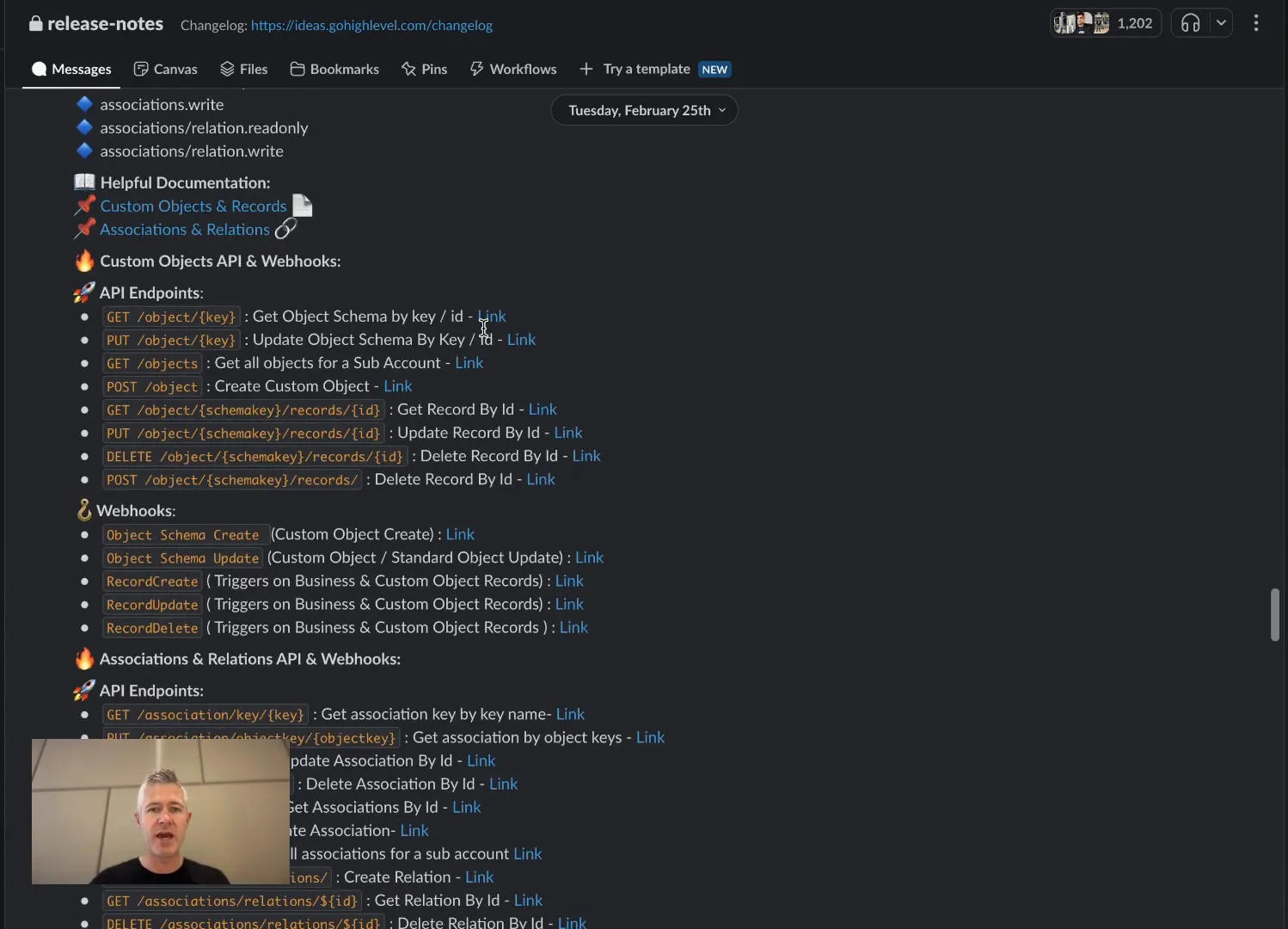
Relations: The Backbone of Your Data Structure
Relations take associations a step further. They define how two entities interact with one another. For instance, if you have a "Customer" object associated with multiple "Order" objects, you’re looking at a one-to-many relationship. Conversely, if an "Order" can be linked to multiple "Products," you’re creating a many-to-many relationship.
This relational structure is crucial for maintaining accurate data representations and ensuring that your applications can process and retrieve data efficiently. Understanding these relations will not only improve your API interactions but also enhance your overall business intelligence.
Exploring the API Documentation
All the new features are documented on our API documentation site. You can find comprehensive information about all the records, schemas, and endpoints that have been introduced. This documentation is your go-to resource for understanding how to implement these new features in your projects.
To access the documentation, visit: developers.go.highlevel.com. You’ll find everything you need to start integrating these capabilities into your applications.

Practical Examples of Custom Objects and Associations
Let’s look at some practical examples of how you might implement these new features. Suppose you run a subscription service. You can create a custom object called "Subscription" to track the various subscriptions your customers have.
- Creating a Subscription Object: You can define fields like "Subscription Type," "Start Date," and "End Date" to capture essential details.
- Associating Customers: Link each subscription to a "Customer" object so you can easily track who has what subscription.
- Creating Relationships: If a subscription can include multiple products, you can create a many-to-many relationship with your "Products" custom object.
Why This Matters
Understanding and utilizing custom objects, associations, and relations in your API can significantly enhance your data management capabilities. This update empowers developers to create more complex and tailored applications that can meet specific business needs.
Moreover, the ability to define relationships between objects allows for better data integrity and a more intuitive user experience. As we move towards a more data-driven world, these features will become increasingly important for businesses of all sizes.
Getting Started with the API
If you’re ready to dive in, here are a few steps to get you started:
- Familiarize Yourself with the API Docs: Explore the new updates and understand how to implement them.
- Experiment with Custom Objects: Create a few custom objects in a test environment to see how they work.
- Build Associations: Start linking your objects together to see the relational advantages in action.
Common Questions
What are custom objects?
Custom objects are user-defined data structures that allow you to capture specific business information that isn’t covered by standard objects.
How do associations work?
Associations define relationships between different objects, allowing you to link them together for better data management.
What is the difference between associations and relations?
Associations are simply connections between objects, while relations define the nature of those connections (e.g., one-to-many, many-to-many).
Where can I find the API documentation?
You can access the API documentation at developers.go.highlevel.com.
Conclusion
This update marks a significant step forward in how we can utilize APIs to manage data effectively. By embracing custom objects, associations, and relations, you can enhance your applications and streamline your operations. Don’t hesitate to explore the new capabilities and see how they can transform your business processes!
As always, if you have any questions or need further assistance, feel free to reach out. Happy coding!