

Unlocking Team Collaboration: Internal Chat Feature Now Live!
What’s New with Internal Chat?
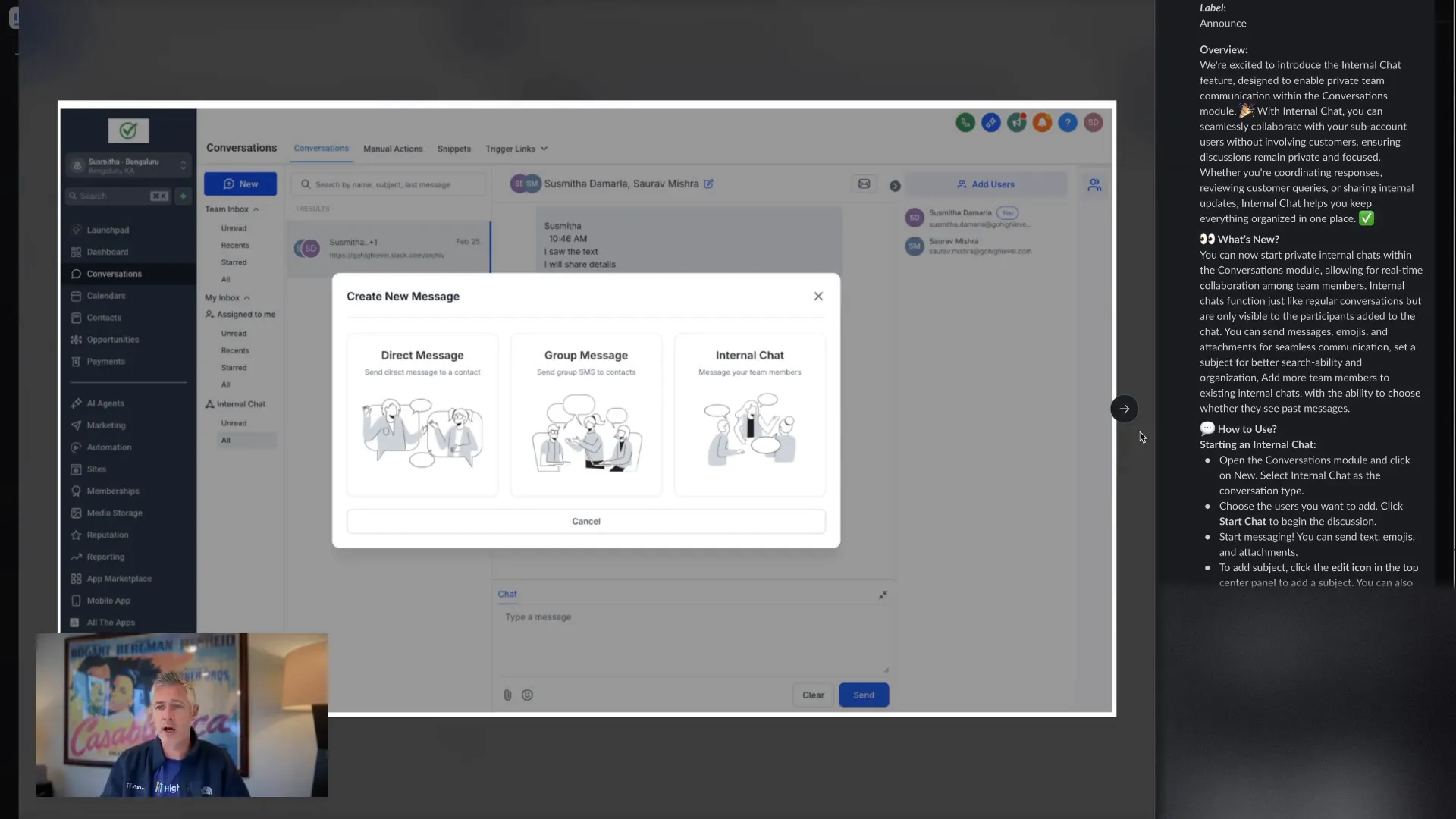
Here’s how to get started:
- Click on the Internal Chat option.
- Select who you want to chat with.
- Engage in a seamless conversation with your team.
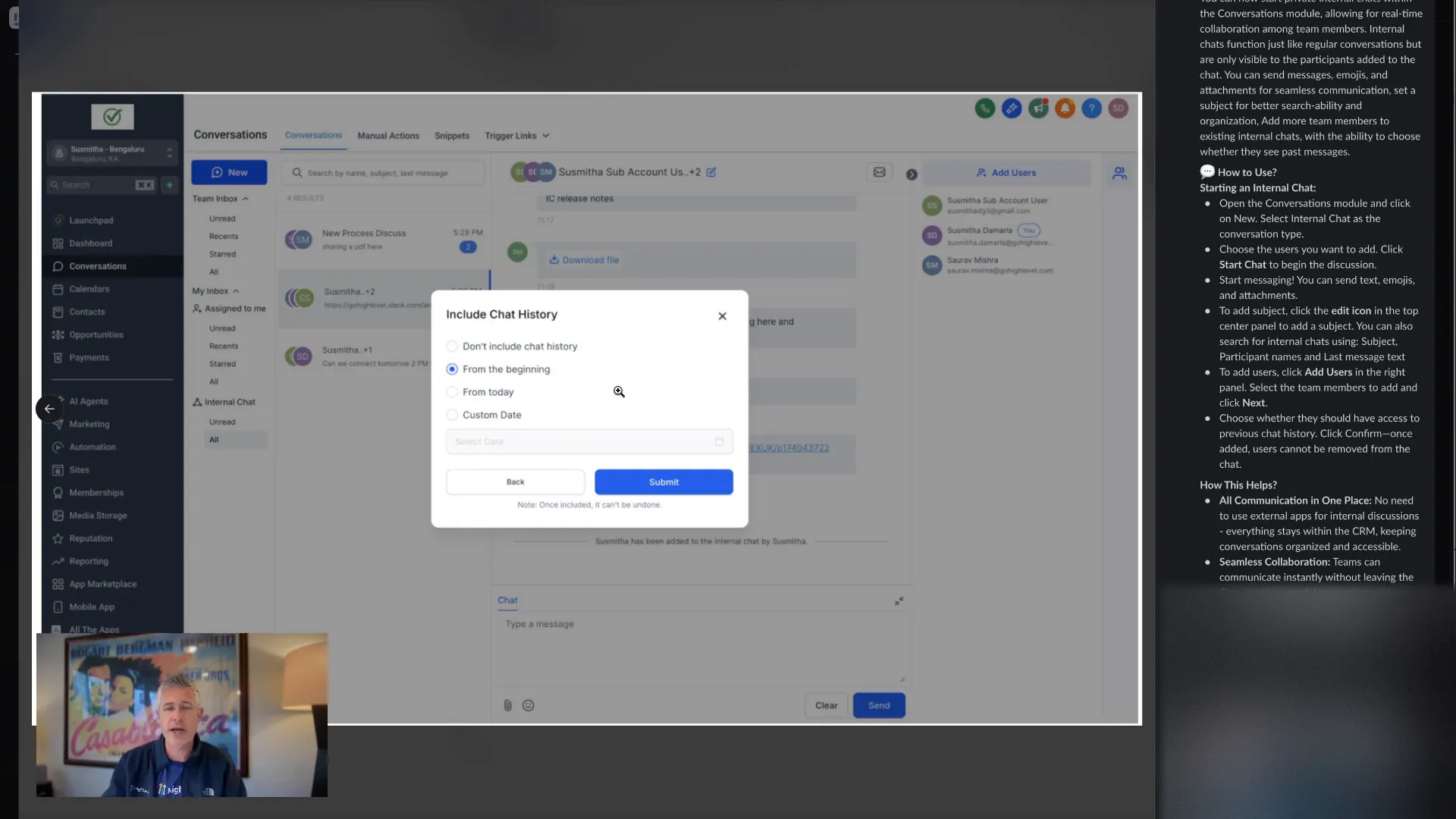
One of my favorite features is the ability to include chat history when adding new users to the conversation. You can choose to include history from today or even a custom date. This ensures everyone is on the same page right from the get-go!
Why Internal Chat Matters
This feature is not just about chatting; it’s about enhancing your service capabilities. By enabling your team to communicate privately, you’re expanding what you can offer to your clients. Imagine being able to resolve issues quickly without cluttering your customer conversations!
Currently, this feature is available on desktop, but we’re working to roll it out on mobile soon. So stay tuned!
Getting Help
If you have any questions or need assistance, just head over to our support documentation. Search for "internal chat" at help.go.highlevel.com, and you’ll find all the information you need.
We’re excited about this addition and can’t wait to see how it transforms your team’s communication. As always, thank you for being a part of our community, and I hope you have an amazing Thursday!
FAQ
How do I activate the internal chat feature?
Go to Settings > Labs and turn on the internal chat feature.
Can I use the internal chat on mobile?
Currently, it’s available on desktop, but a mobile version is coming soon!
What if I encounter issues with the internal chat?
Visit the support documentation and search for "internal chat" for detailed assistance.
Ready to enhance your team's collaboration? Try out the internal chat today and see the difference it makes in your workflow!
For more tools and resources, explore GFunnel, your all-in-one business ecosystem, at GFunnel. Let’s connect and thrive together!