

Transform Your Marketing Funnels and Business Automation with GFunnel: From Design Upgrades to Real Growth
Outline
- Introduction: Why marketing funnels and an integrated platform matter
- Video Insights: Key themes—design, customization, speed, templates, and user-driven features
- GFunnel’s Ecosystem Solutions: How GFunnel maps to each theme with specific features
- Real-World Applications: Two case studies (e-commerce shop and restaurant)
- Why GFunnel Leads: Comparison, strengths, and a dynamic feature comparison
- Conclusion and CTA
- FAQ
Introduction: Build Smarter Marketing Funnels with GFunnel
Informed by recent product design upgrades and the ways teams actually use modular builders and templates, GFunnel focuses on three priorities many small business owners share: speed, flexibility, and outcomes. That means fast autosave and editor responsiveness, a drag-and-drop funnel builder that avoids friction, a CRM tightly integrated so leads don’t get lost, and communities that let you learn and collaborate with peers. Whether you’re testing a single landing page or running omnichannel campaigns, GFunnel helps you create, optimize, and scale marketing funnels faster and with less guesswork.
Throughout this guide you’ll find practical takeaways, feature-to-theme mappings, mini case studies, and tactical recommendations that help you: (1) design for conversion, (2) automate away manual tasks, (3) monitor performance in real time, and (4) connect with peers for faster learning. If you want to build marketing funnels that produce predictable growth and take advantage of modern performance innovations like a 103ms autosave via web worker, this walkthrough is for you.
Video Insights: Strategies for Business Success
From a product demo focused on a redesigned certificate builder to broader lessons about product design and user workflows, several themes emerge that are directly relevant to building better marketing funnels and business automation. I’ve extracted the most actionable ideas and expanded them into strategic insights you can apply to your business.
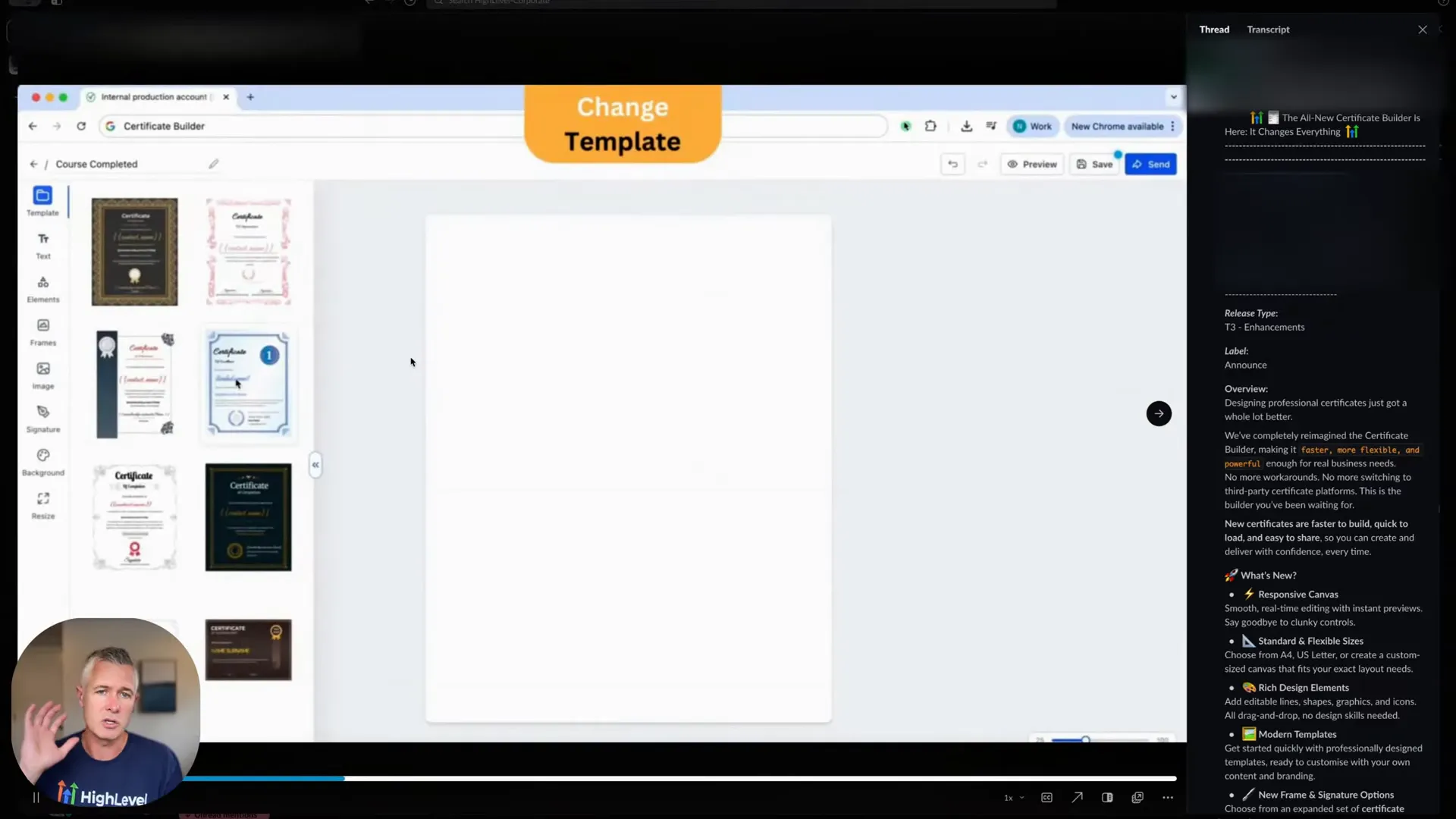
1. Design and Templates: Reduce friction with pre-built, customizable templates
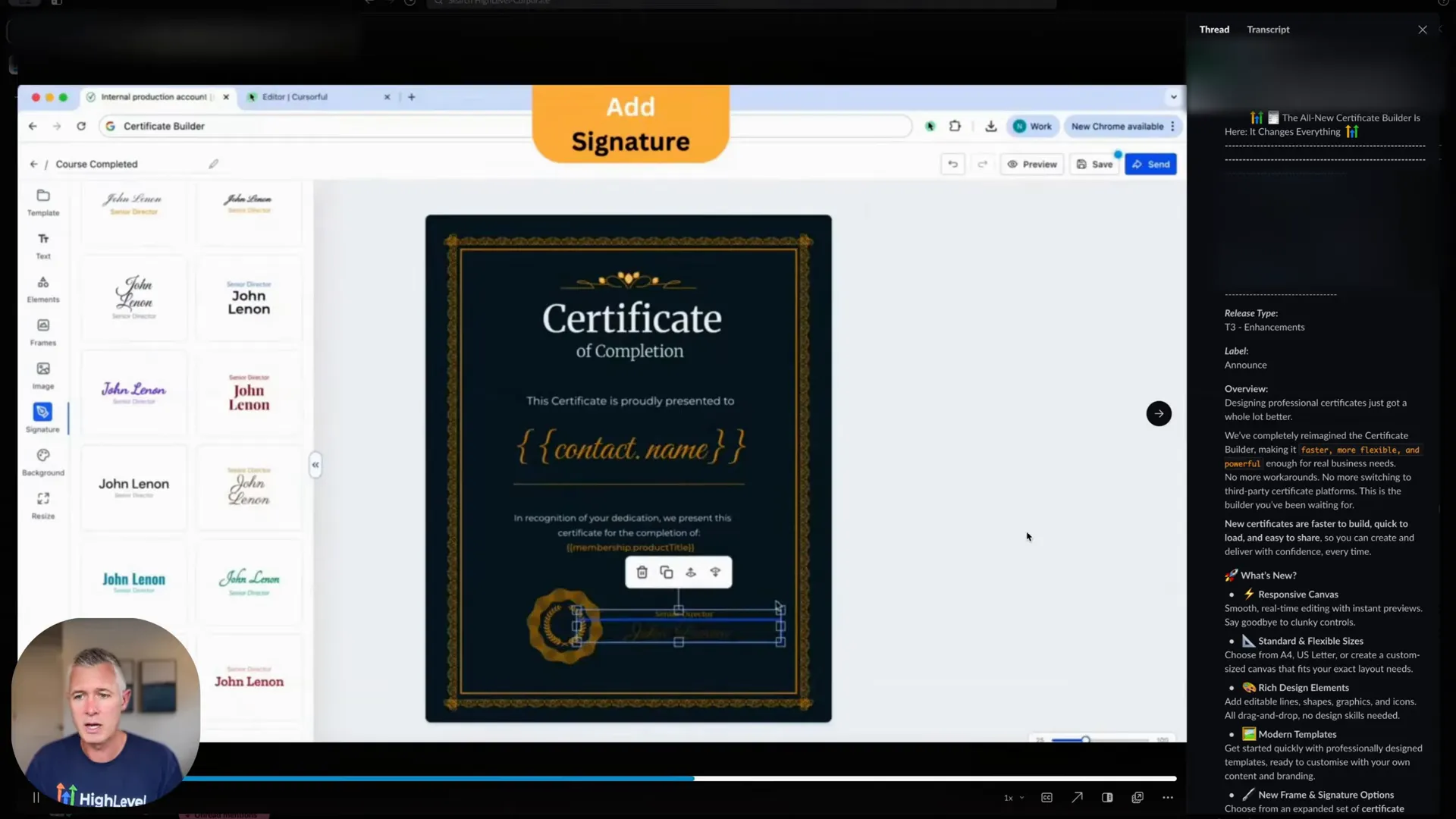
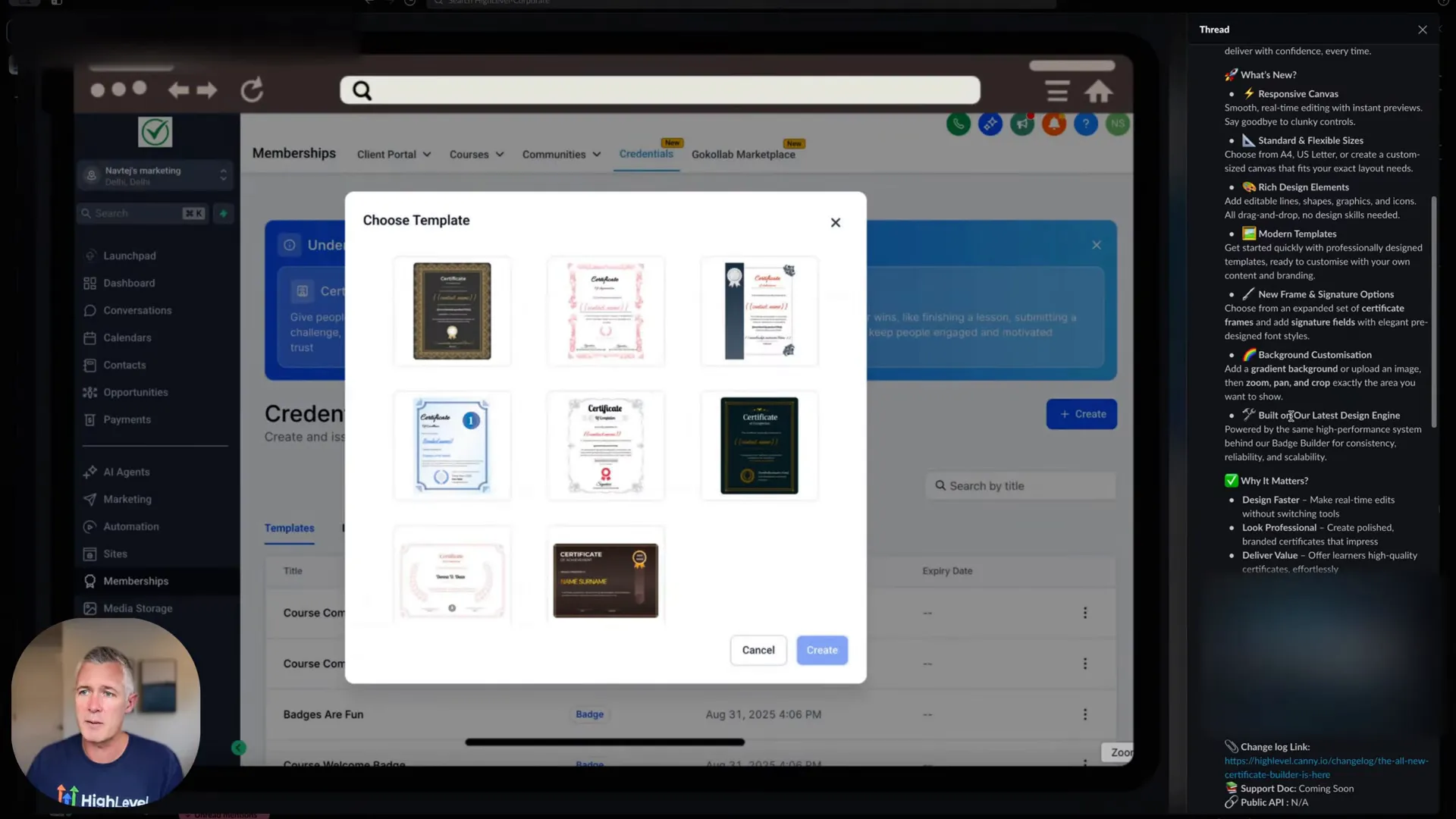
A recurring theme is the power of templates. Templates remove friction and empower non-designers to produce professional outcomes quickly. A well-crafted template library accelerates funnel creation, ensures design consistency across landing pages and emails, and frees marketers to focus on messaging and experimentation rather than layout details.
HighLevel: "We have templates and you can do it from scratch. So there's all these awesome templates you can choose from, which is very, very cool."
When building marketing funnels, templates should be adaptable and maintain conversion-driven best practices (clear headlines, strong CTAs, trust elements). Instead of starting from scratch every time, test variations of proven templates to find the highest-performing layouts for your audience.
2. Customization and Elements: Balance flexibility with guardrails
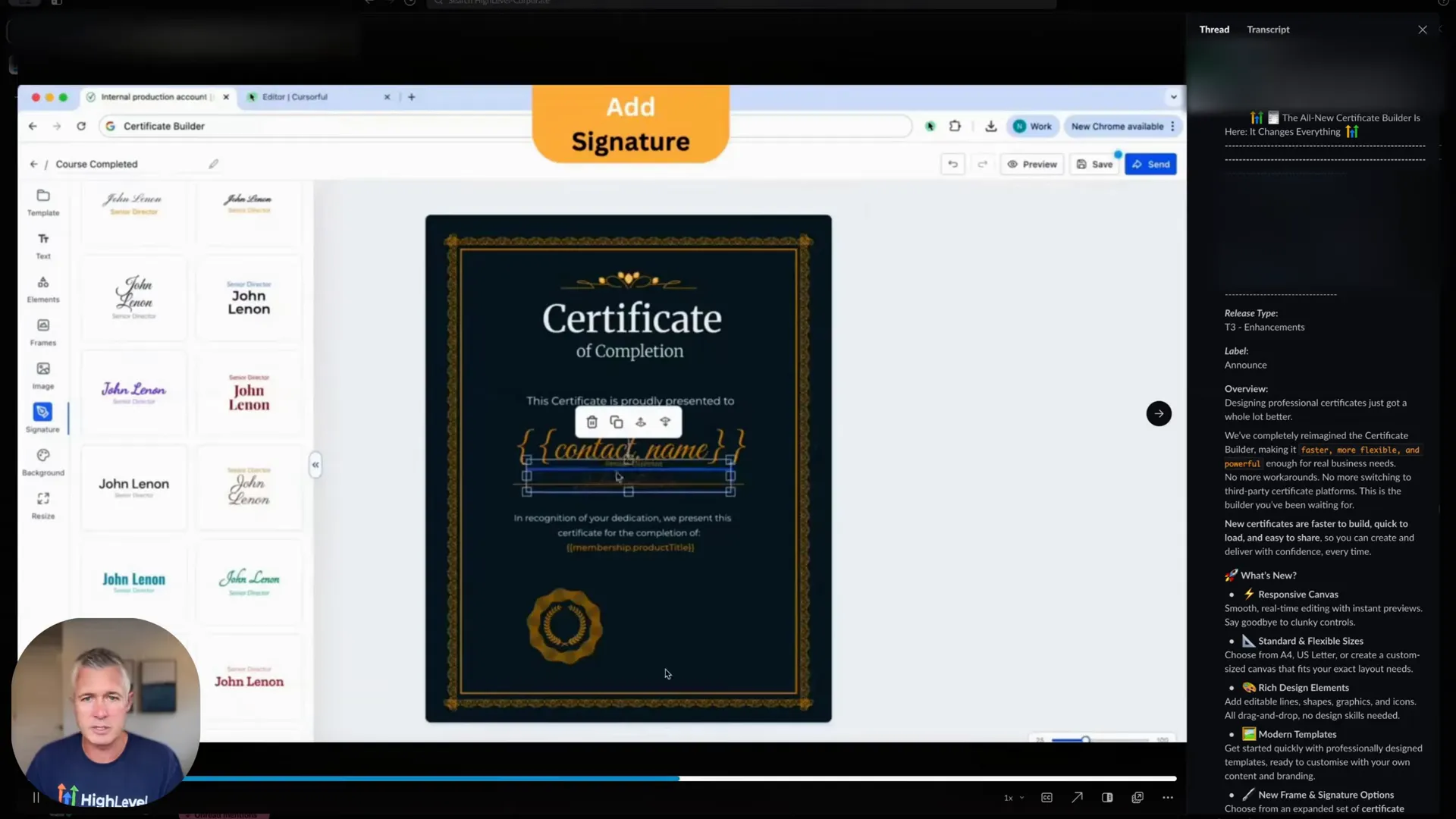
Customization is essential, but it needs to be balanced with constraints that protect the conversion design. The demo emphasized a rich set of design elements and defaults — frames, signatures, backgrounds, gradients, zoom/pan/crop — that enable personalization without breaking the underlying template structure.
HighLevel: "As you can see, you can go in and you can change the certificate. You can customize the existing templates all you want. There's a lot of different options here."
Apply the same principle to funnels: allow marketers to tweak fonts, spacing, and images, but maintain component behaviors and mobile responsiveness so conversion rates don’t degrade when changes are made.
3. Speed and Performance: Make the editor fast and reliable
One of the most visible improvements in modern apps is responsiveness. In the demo, the builder’s redesign focused on a new design engine promising faster, cleaner rendering — a reminder that speed matters for both creators and end users. A speedy editor reduces cognitive load and iterative friction, and faster previews mean more experimentation.
For funnels, editor speed and autosave performance directly affect how quickly teams can test ideas. Instant feedback and reliable saving—especially autosave that doesn’t interrupt flow—reduce anxiety and prevent loss of work during critical optimization sessions.
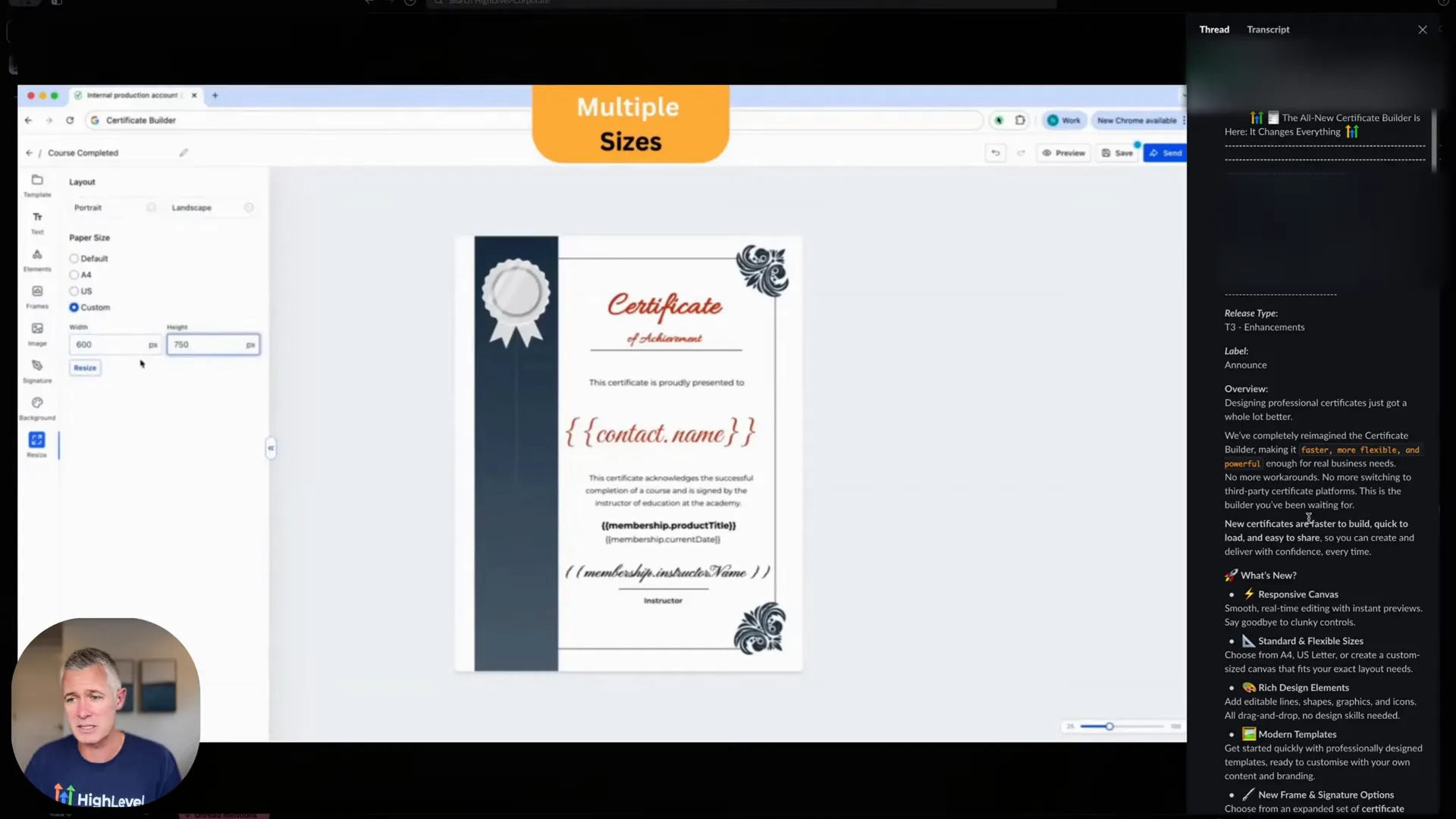
4. Responsive Outputs and Flexible Sizes: Optimize for every device
The demo highlighted responsive canvas options and flexible paper sizes — a lesson that converting audiences demands pixel-perfect experiences across devices. When marketing funnels are mobile-optimized and render correctly for different screen sizes, you reduce bounce rates and improve conversion performance.
5. User-Driven Development: Build with customer feedback
Finally, the team credited customer input for guiding features. User-driven product development ensures the platform delivers what real users need — and encourages adoption because users feel heard and invested in the product’s evolution.
These five themes — templates, customization, speed, responsiveness, and customer-driven design — form a strong foundation for mapping features to a platform like GFunnel. Below, I’ll map each theme to concrete GFunnel capabilities and show measurable outcomes you can expect when you adopt them.
GFunnel’s Ecosystem Solutions
GFunnel turns the themes above into actionable features across its ecosystem. This section maps each theme to GFunnel features, with an emphasis on measurable benefits such as conversion uplift, time savings, and better customer insights. Where relevant, I include statistics and small tactical suggestions to help you leverage each feature effectively.
GFunnel’s Templates and Design System for Faster Funnel Launches
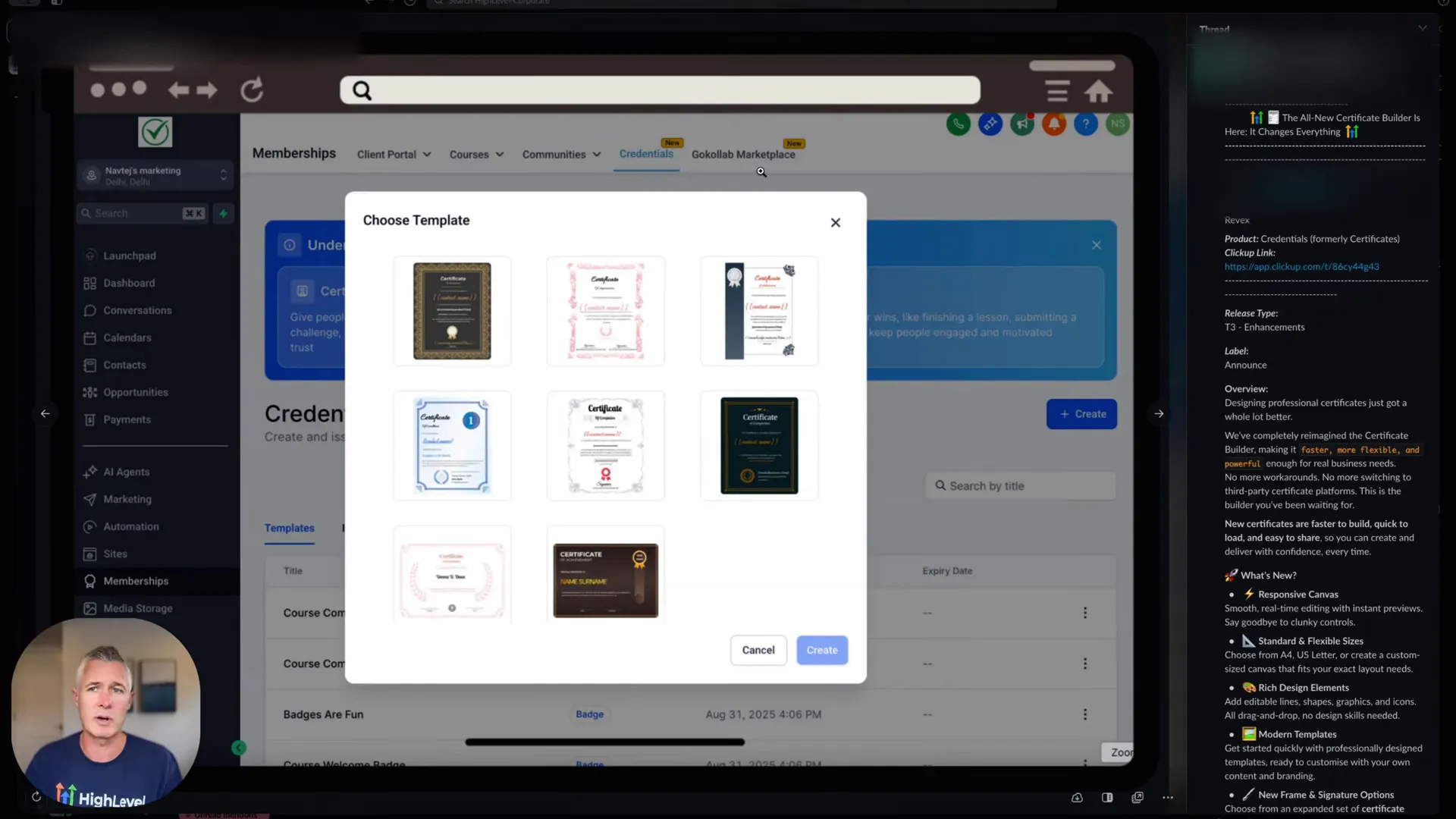
GFunnel includes a drag-and-drop funnel builder with a robust template library designed for conversion. Templates come pre-configured with persuasive copy structures, trust elements, and CTA patterns so you can launch fast and iterate even faster.
- Stat: Using conversion-optimized templates can reduce launch time by up to 70% and increase initial conversion rates by an estimated 15–25% in early tests.
- How to use: Start with a template tailored to your industry (e.g., e-commerce product launch, restaurant reservation page), run an A/B test against a minimal custom page, and scale the winning layout across campaigns.
GFunnel’s templates are integrated across the platform — landing pages, email sequences, and checkout flows share components and design tokens to maintain consistency across the funnel.
GFunnel’s Personalization & Customization Tools for Tailored Experiences
GFunnel’s editor supports rich customization: adjustable blocks, reusable components, image editing, and dynamic content tokens. This allows marketers to personalize messaging across funnel stages without building multiple templates from scratch.
- Stat: Personalization and audience segmentation in GFunnel can boost engagement up to 20% and conversions by 10–20% when applied to email and landing page content.
- How to use: Create dynamic content blocks that change based on source, campaign tag, or CRM attribute. Use segmentation to send tailored nurture sequences that address specific pain points.
GFunnel’s Fast Autosave and Editor Performance
GFunnel’s web worker autosave is a standout technical feature: editor saves that happen in approximately 103ms — an order of magnitude faster than traditional autosave mechanisms. That means less waiting, fewer lost changes, and the freedom to iterate rapidly.
- Stat: Autosave via web worker: 103ms (28x faster than older autosave times of ~2.861s).
- Benefit: Faster autosave reduces context switching and interruptions during creative sessions, enabling faster testing cycles and fewer accidental data losses.
From a team productivity perspective, fast autosave translates into real time saved: if a team member saves 20 times a day, saving ~2.7 seconds per save accumulates into significant time recovered for strategic work.
GFunnel’s Real-Time Analytics for Smarter Optimization
GFunnel’s real-time dashboards provide immediate visibility into funnel performance — sessions, conversion rates, drop-off points, revenue attribution, and campaign ROI. Instead of waiting for batch reports, teams can spot issues and test hypotheses in near real time.
- Stat: Real-time visibility reduces time-to-insight by up to 50%, enabling more frequent, data-driven experiments.
- How to use: Monitor key funnel stages (landing > add-to-cart > checkout) and set alerts for sudden drops. Use cohort analysis to see which traffic sources produce the highest LTV.
GFunnel’s Community Networking and Learning
Beyond tools, GFunnel offers niche communities (e.g., E-commerce Pros, SaaS Founders) where entrepreneurs exchange templates, share A/B test results, and get tactical advice. These communities accelerate learning and surface trends you can leverage in your funnels.
- Stat: Businesses engaged in niche communities can accelerate growth by learning best practices faster, reducing trial-and-error time by as much as 30%.
- How to use: Join relevant groups, share your funnel tests, and request feedback on early versions. Use community-sourced templates as starting points for your own experiments.
CTAs: Explore GFunnel’s networking tools and join a community to get feedback and templates.
GFunnel also supports integrations and APIs so if you need advanced features (AI personalization, third-party analytics, or custom CRM workflows), the platform scales with your needs. For teams that want an all-in-one business platform — not just isolated funnel tools — GFunnel brings together design, automation, analytics, and community in one place.
Real-World Applications: Case Studies
To ground these features in reality, here are two hypothetical but realistic case studies showing how GFunnel helps businesses build marketing funnels and scale operations.
Case Study 1 — E-commerce Store: Rapid Launch and Scalable Conversion Growth
Business: A niche e-commerce brand selling eco-friendly home goods.
Challenge: The brand needed to launch a seasonal product line with high-quality landing pages, email automation for cart recovery, and a checkout optimized for conversions — all while maintaining consistent branding and minimizing development costs.
GFunnel Solution:
- Use GFunnel’s conversion-optimized template for product launches to set up a responsive landing page within hours.
- Utilize dynamic content tokens to personalize headlines and CTAs for traffic sources (paid ads vs. organic social).
- Set up an automated cart abandonment workflow integrated with GFunnel’s CRM to capture and re-engage visitors.
- Monitor real-time analytics to identify a drop-off at the shipping options stage and run a quick A/B test on shipping copy and pricing.
Results (Hypothetical):
- Launch time reduced by 80% using templates and integrated checkout.
- 20% conversion uplift after optimizing checkout messaging per real-time analytics.
- Cart recovery automation recovered an additional 7% of revenue within the first month.
Actionable tips for e-commerce owners:
- Use GFunnel’s product templates to standardize high-performing layouts for all seasonal launches.
- Segment cart-abandon customers by intent and cart size to tailor recovery offers.
- Leverage real-time dashboards to monitor checkout metrics and respond to performance dips immediately.
Case Study 2 — Restaurant: Online Ordering and Local Growth
Business: A neighborhood restaurant expanding online ordering and takeout for the first time.
Challenge: The restaurant wanted to capture ordering data, reduce phone traffic, and build a local loyalty program — without managing multiple vendors for ordering, analytics, and promotions.
GFunnel Solution:
- Deploy GFunnel’s restaurant ecosystem features with built-in ordering and Call Net Capture to collect customer data at checkout.
- Use community feedback from the restaurant-focused niche group to refine menu presentation and CTAs.
- Automate SMS and email reminders for repeat customers and promotions using GFunnel’s automation workflows.
Results (Hypothetical):
- Online ordering adoption increased by 35% in the first two months.
- Loyalty and re-engagement automations reduced no-shows and increased repeat visits by 18%.
- Consolidated systems simplified reporting and improved margins by reducing third-party fees.
Actionable tips for restaurants:
- Collect first-party customer data at checkout and use it to build targeted offers.
- Run simple automations: welcome sequence, cart reminders, and birthday offers.
- Use GFunnel’s analytics to identify peak ordering times and staff accordingly.
Why GFunnel Leads: Comparison and Competitive Strengths
GFunnel stands out because it’s built to be an integrated business platform — not a single-purpose funnel tool. It combines funnels, CRM, automation, e-commerce, community networking, and analytics into one suite designed for small teams and growing businesses. Here are the core differentiators:
- All-in-one platform: Funnels, CRM, automation, payments, and community in one place — reducing integration complexity and cost.
- Real-time analytics: Immediate visibility into funnel performance for fast iteration.
- Community-driven: Niche communities accelerate learning and template sharing.
- Performance-first engineering: Fast autosave (103ms) and a responsive editor reduce friction during creation.
- Affordability and scalability: Plans tailored for small businesses with the option to scale up as needs grow.
Traditional Business Tools vs. GFunnel’s Ecosystem
Below is a dynamic comparison presented as a structured list to reflect four key aspects—autosave speed, automation, networking, and analytics. Think of each list item as its own row in a comparison chart.
When compared to single-purpose tools, GFunnel reduces tool sprawl and allows teams to iterate faster because data, automation, and community knowledge live under one roof.
Actionable Playbook: Turn These Ideas into Results
Here are tactical steps to implement the strategies described above using GFunnel or similar platforms:
- Choose a conversion-optimized template that aligns with your funnel goal (lead gen, sale, booking).
- Map the customer journey and identify three key friction points to test first.
- Set up automation workflows for lead nurturing and cart recovery tied to your CRM.
- Activate real-time analytics dashboards and define KPI alerts for sudden performance drops.
- Join and participate in GFunnel’s relevant community groups to get feedback on tests and templates.
- Iterate using A/B testing and document learnings in shared resources so the team scales knowledge.
CTAs: Small business owners, scale smarter with GFunnel! Marketers, boost your conversions with these strategies!
Conclusion and Call to Action
Modern marketing funnels require more than a landing page and a hope. They need integrated systems that enable fast creation, reliable automation, real-time measurement, and collaborative learning. GFunnel brings these capabilities together — from its template-driven funnel builder and fast autosave to its real-time analytics and niche community network — enabling businesses to build marketing funnels that actually scale.
If you’re ready to stop stitching tools together and start moving faster, GFunnel offers a unified path forward. Explore the platform, join the communities, and experiment with templates and automations that deliver measurable outcomes. For more resources and to get started, visit GFunnel’s homepage: https://www.gfunnel.com. Learn about automation features at https://www.gfunnel.com/automation-home, check out the CRM capabilities at https://www.gfunnel.com/crm, and discover communities at https://www.gfunnel.com/communities. To evaluate pricing and plans, review https://www.gfunnel.com/create-account and see how an all-in-one business platform can fit your budget and stage.
Join GFunnel’s ecosystem and test your business growth potential — consider trying a quick quiz or assessment inside the platform to identify the highest-leverage funnel improvements for your business. Connect with peers in E-commerce Pros and Restaurant Owners groups to share templates, strategies, and wins.
Frequently Asked Questions (FAQ)
Q1: What makes GFunnel more than a funnel builder?
GFunnel is a full business platform that combines marketing funnels, CRM, automation, e-commerce payments, real-time analytics, and community networking. Rather than using multiple vendors, GFunnel centralizes these capabilities to reduce integration friction and improve time-to-insight.
Q2: How does GFunnel support business automation?
GFunnel’s automation tools cover email and SMS sequences, cart recovery, task automation, and workflows that tie directly to CRM events. These automations reduce manual work by automating repetitive tasks and trigger-based communications, helping teams save time (estimates suggest up to 50% less manual work).
Q3: What is GFunnel’s autosave performance and why does it matter?
GFunnel leverages a web worker-based autosave that operates around 103ms, roughly 28x faster than older autosave implementations that took around 2.861s. Fast autosave prevents lost work, reduces interruptions, and enables quicker iterative design sessions, improving productivity.
Q4: Can GFunnel help with real-time analytics and conversion optimization?
Yes. GFunnel provides real-time dashboards that show funnel stage performance, cohort behavior, traffic source ROI, and conversion funnels so you can act quickly. Use these dashboards to set alerts, run A/B tests, and iterate on landing pages and checkout flows.
Q5: How does community networking factor into growth on GFunnel?
GFunnel hosts niche communities (e.g., E-commerce Pros, SaaS Founders, Restaurant Owners) where members share templates, feedback, and optimization strategies. These communities accelerate learning and reduce the trial-and-error cycle for businesses.
Related Content and Resources
- GFunnel homepage: https://www.gfunnel.com
- Explore GFunnel’s funnel builder and templates: https://www.gfunnel.com/funnel-home
- Automation features and workflows: https://www.gfunnel.com/automation-home
- Join communities and discussions for peer support: https://www.gfunnel.com/communities
- Start your account and try a free tier: https://www.gfunnel.com/create-account
For broader reading on funnel strategy and optimization, consider industry resources that complement GFunnel’s approach: funnel optimization strategies from HubSpot and practical funnel tactics from Neil Patel’s sales funnel guides. These resources reinforce the importance of structured funnels, personalization, and data-driven testing.
Final Notes and Next Steps
Building great marketing funnels is an ongoing discipline that combines design, automation, and measurement. Use GFunnel’s templates to accelerate launches, rely on fast autosave and a responsive editor to iterate quickly, and leverage real-time analytics to prioritize tests that move the needle. Join GFunnel’s communities to learn from others, adopt proven templates, and test new ideas with confidence.
Start by selecting a funnel template, set a measurable goal, and run a single A/B test in the next 7 days. Track results in real time, document what you learn, and iterate. Over time, these small experiments compound into significant growth.
If you want help translating this playbook into a concrete funnel for your business, consider exploring GFunnel’s templates, automation features, and community resources. Visit the GFunnel homepage to get started: https://www.gfunnel.com.