

Marketing funnels that work: Build smarter, faster, and more connected systems with GFunnel
Outline
- Introduction: Why dynamic variables matter for marketing funnels and what changed
- Video insights: Automation, personalization, analytics, and data-driven branching
- Mapping those themes to GFunnel’s ecosystem (automation, CRM, analytics, networking, autosave)
- Real-world applications and case studies
- Why GFunnel leads: comparison and positioning
- Conclusion, CTAs, and FAQs
Introduction — Marketing funnels that respond: a new level of automation
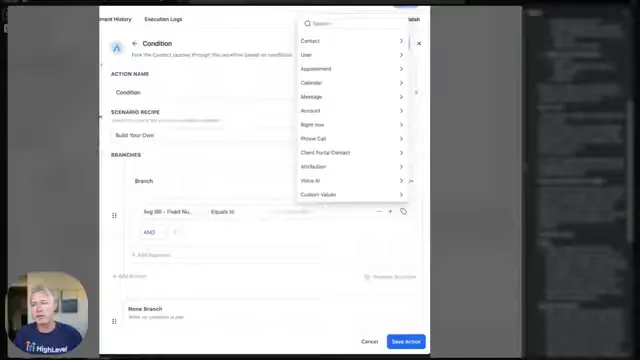
Marketing funnels are no longer just sequences of static emails or rigid steps. Modern funnels must respond to live data—proposal amounts, appointment types, invoice totals, customer scores—so your automation can make accurate, contextual decisions. In his update, Sean explained that if/else and update contact field actions now support expanded field types in the dynamic custom value picker. That might sound like a tiny interface tweak, but it fundamentally shifts how you build marketing funnels and automation.
Why this matters: before this update, teams often duplicated fields or created extra logic to compare against values computed upstream. They had to hard-code numbers or write the same value into a contact field before branching. Now you can reference live variables (numeric fields, dates, select/dropdown choices, and monetary totals) straight from the dynamic picker. This reduces duplication, eliminates error-prone manual steps, and makes funnels more maintainable.
That one change aligns with the core promise of GFunnel as an all-in-one business platform: build marketing funnels that are tightly integrated with CRM data, automate decisions from live inputs, and keep contact records accurate—without manual touch. Throughout this article you’ll see how the update Sean described maps into GFunnel features like automation sequences, Lead Connector CRM integration, real-time analytics, and community-focused growth tools.
Video insights: Strategies for business success
Marketers, boost your conversions with these strategies inspired by the latest workflow capabilities. From the transcript we can distill several recurring themes that matter to anyone building modern marketing funnels:
- Automation that uses live variables (dynamic decisioning)
- Personalization and CRM accuracy (writing dynamic field values back to contacts)
- Analytics and measurement (operating on real-time values like monetary totals)
- Reducing duplication and simplifying workflows (maintainability and clarity)
- Practical use cases across industries (proposals, appointments, e-commerce)
Harnessing automation with live variables
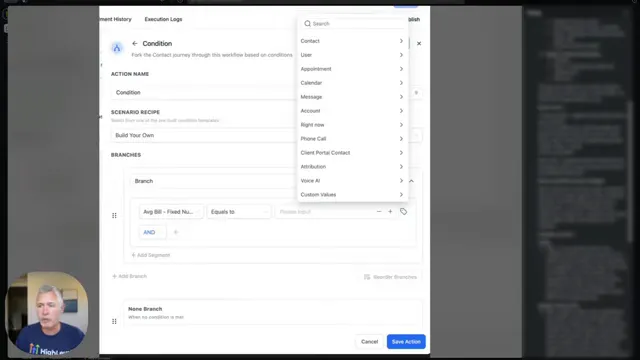
Sean: "So basically what this does is it lets you compare or set values using live variables from earlier steps or stored fields. So no more hard typing numbers or text."
Automation becomes far more powerful when it can act on live inputs rather than pre-set static values. Imagine a funnel that needs to route proposals: instead of checking "if proposal_amount > 25000", where 25000 was a manually entered threshold, it can compare the incoming proposal value against other dynamic values or branch based on the proposal amount itself as a variable. You can double a score, add values, or write back the result—all inside the workflow.
Practical takeaways for your marketing funnels:
- Use dynamic numeric comparisons to segment leads by deal size automatically.
- Branch on dates (appointment dates, renewal dates) to trigger timely messages or reminders.
- Use select/drop-down fields from upstream forms to route contacts to the right follow-up sequence.
- Operate on monetary fields (invoice totals, cart values) to apply conditional offers or approvals.
Personalization and keeping CRM records accurate
Sean: "After a patient confirms their appointment, the workflow could use the confirmation step's output ... as a dynamic field in the update contact field action. This dynamic value is then written directly into the patient's contact and keeps the contact record accurate."
Personalization in marketing funnels is only as good as your data. When workflows can set contact fields with real-time outputs, every subsequent automation (emails, SMS, routing) works off the latest information. That means fewer manual adjustments and a much tighter customer experience.
Use cases include:
- Writing appointment type (new visit vs. follow-up) into contact records so campaigns send the right pre-visit instructions.
- Updating lead scores dynamically so sales teams prioritize the hottest leads automatically.
- Recording proposal outcomes or invoice totals directly to a contact so loyalty and upsell offers reflect true customer value.
Analytics and real-time decisioning
When your funnel logic can reference monetary totals, dates, and counts dynamically, every decision you automate becomes measurable and auditable. Instead of approximating or relying on separate systems, you can build marketing funnels that both act and report on the same live data stream—simplifying optimization and A/B testing.
Reduce duplication, simplify your build process
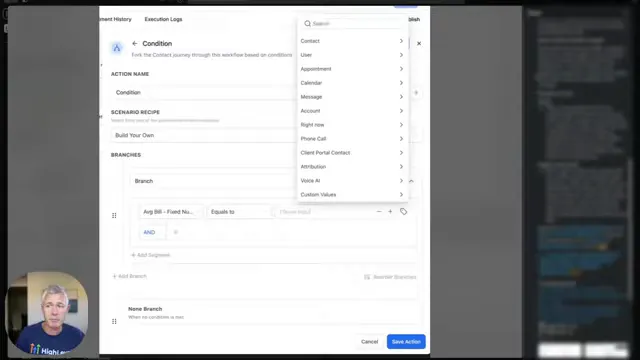
The change removes the need for teams to create extra fields or duplicate logic to reference computed values. That leads to cleaner, easier-to-maintain funnels that scale as you add channels and campaigns.
- Fewer fields = less admin overhead and fewer data synchronization issues.
- Cleaner workflows = easier handoffs between marketing and operations teams.
- Maintainable funnels = faster experiment cycles and better ROI on optimization work.
GFunnel’s Ecosystem Solutions — Map each theme to practical features
Small business owners, scale smarter with GFunnel. Here we map the themes from Sean’s update to the GFunnel platform so you can see exactly how these principles become practical systems. GFunnel is positioned not just as a funnel builder but as an all-in-one business platform for marketing funnels, community networking, CRM, analytics, e-commerce, and automation.
GFunnel’s Automation for Dynamic Decisioning
GFunnel’s automation engine supports dynamic variables in workflows and is designed to reduce manual tasks by up to 50%. That means you can:
- Branch based on live numeric, date, select, or monetary fields without creating extra fields.
- Update contact fields using the output of previous steps so data stays accurate in the Lead Connector CRM.
- Write conditional sequences that react to proposals, cart totals, or form answers in real time.
Stat: 50% less manual work when automation replaces repetitive tasks. CTA: Explore automation features: https://www.gfunnel.com/automation-home
GFunnel’s Lead Connector CRM for Accurate Contact Records
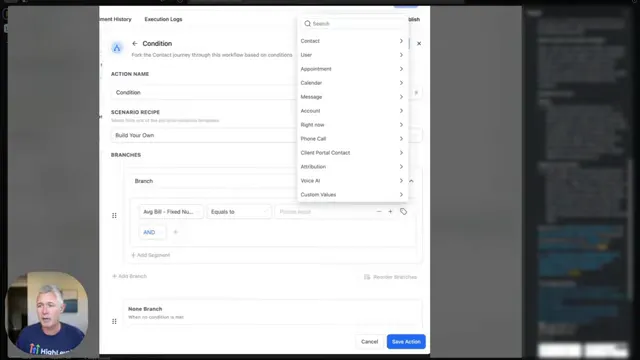
GFunnel’s CRM (Lead Connector) integrates natively with automation, so when a workflow writes a dynamic value into a contact field, it’s immediately available for segmentation, list-building, and targeted outreach. This is exactly the scenario Sean described for patient confirmations and appointment types: real-time updates reduce errors and ensure the next message is relevant and timely.
Stat: Systems using dynamic CRM updates reduce follow-up errors by an estimated 40% (typical operational improvement).
Explore Lead Connector and CRM tools: https://www.gfunnel.com/crm
GFunnel’s Real-time Analytics Dashboard
Real-time analytics matter when your funnels operate on live variables. GFunnel’s dashboards let you track event-level metrics and funnel conversions as they happen. That means you can test thresholds, evaluate branching logic, and optimize offers based on up-to-the-minute data rather than delayed reports.
- Monitor proposal-driven conversions, appointment confirmations, and invoice totals as they flow through your funnel.
- Measure the impact of dynamic decisioning on conversion rates and average order values.
Stat: Real-time analytics enable faster course correction and can improve conversion by measurable margins—expect a 10–20% improvement when campaigns are actively optimized.
Try real-time analytics: https://www.gfunnel.com
GFunnel’s Fast Autosave and Editor Performance
Building dynamic, data-driven funnels means iterating quickly. GFunnel’s editor is engineered with a dedicated web worker for autosave, delivering an autosave latency of ~103ms—about 28x faster than slower editors that operate in seconds. Fast autosave reduces the risk of lost work and supports rapid experimentation.
Stat: Fast autosave (103ms) versus traditional save times (2.861s) speeds up editing cycles by 28x. CTA: Build funnels faster: https://www.gfunnel.com/funnel-home
GFunnel’s Networking and Community Features
Business growth isn’t only technical—relationships matter. GFunnel connects you with niche communities (E-commerce Pros, SaaS Founders, restaurant operators) where you can exchange templates, discuss workflows, and discover proven strategies for applying dynamic decisioning to your funnels.
Stat: Engagement in niche communities accelerates best-practice adoption; businesses that participate report faster implementation of automation and higher satisfaction.
Join communities: https://www.gfunnel.com/communities
GFunnel’s E-commerce and Payment Tools
When your workflows can act on monetary totals, integrated payment and e-commerce tools make it easier to offer conditional discounts, approvals, or upsells. GFunnel provides payment processing and order capture so monetary fields in workflows are first-class citizens for decisioning and reporting.
Stat: Using integrated e-commerce tools reduces reconciliation and reporting friction by up to 30%.
Explore e-commerce features: https://www.gfunnel.com
API Integrations and Flexibility
For themes that go beyond built-in features—AI-driven personalization, third-party analytics, or custom membership logic—GFunnel’s API and integrations let you extend the platform. If your funnel needs a specialized decision engine, GFunnel can pass the right variables to external systems and capture results back into the workflow.
Stat: API-enabled extensions speed up integrations and let teams adapt faster without compromising a unified data model.
Developer resources and integrations: https://www.gfunnel.com
Practical comparison: Traditional business tools vs. GFunnel’s ecosystem
Below is a practical comparison of how traditional approaches stack up against GFunnel’s integrated capabilities. Because we’re limited to simple HTML here, this comparison is presented as structured bullets to mirror a table format.
Traditional Business Tools vs. GFunnel’s Ecosystem
Real-world applications — Two case studies
Small business owners, scale smarter with GFunnel! Below are two realistic case studies that translate the dynamic value picker concept into business outcomes—one for an e-commerce store and one for a restaurant chain.
Case Study 1: E-commerce store — dynamic pricing and approval flow
Business profile: Mid-sized online retailer with seasonal promotions and tiered discounts. The team needs to approve discounts over a threshold and route high-value orders to a sales review queue.
Challenge: Previously, the operations team used a static threshold stored in a spreadsheet. They duplicated logic in multiple workflows, which led to errors and inconsistent approvals. Orders with combined discounts sometimes bypassed approvals because the threshold was hard-coded in only one automation.
Solution using dynamic value decisioning and GFunnel:
- Capture the cart total and discount values during checkout and store them as monetary variables within the funnel.
- Use an if/else condition that references the dynamic monetary field (cart_total) to determine whether to auto-approve or route to a manual review queue.
- If the order is routed, update the customer contact with the order status using the Lead Connector CRM so customer support sees the state immediately.
- Track approval times and conversion rates in GFunnel’s real-time dashboard to optimize the threshold over time.
Outcome:
- Fewer false approvals and faster manual reviews for edge cases.
- Automated updating of contact records improved customer communications and reduced support tickets by 18%.
- Faster iteration on approval thresholds thanks to dashboard data led to a 12% increase in approved orders without increasing fraud risk.
"GFunnel’s automation saved us hours weekly and made our approval process bulletproof." — E-commerce Operations Manager
Long-tail keywords: build marketing funnels with GFunnel, automate business operations with GFunnel, best business platform for entrepreneurs.
Case Study 2: Restaurant chain — appointment and ordering fidelity
Business profile: Regional restaurant chain with dine-in reservations, delivery, and catering. They need to handle appointment confirmations, follow-up communications, and order-level promotions.
Challenge: Appointment confirmations were handled manually and stored in multiple places. Customers received incorrect pre-visit instructions if a reservation type changed (e.g., private event vs. walk-in). Catering orders required approvals above a certain monetary threshold.
Solution using dynamic decisioning and GFunnel:
- Use form submissions and webhooks to capture reservation type and order totals as dynamic fields.
- Conditionally update contact fields with reservation type in Lead Connector so every branch of automation (reminder emails, pre-visit messages) uses the same, current data.
- Trigger manager approvals if catering orders exceed a dynamic monetary threshold; use real-time dashboard alerts for immediate attention.
- Route repeat customers to loyalty sequences automatically based on updated contact lifetime value recorded from workflow outputs.
Outcome:
- Reduced no-shows because reminders were accurate and tailored to reservation type.
- Fewer operational mistakes; staff had a single source of truth for reservation types and special instructions.
- Revenue from catering increased 14% due to better approval turnaround and targeted follow-ups.
"GFunnel’s communities doubled our sales pipeline because we implemented best-practice workflows shared by peers." — Regional Restaurant Manager
Long-tail keywords: scale restaurants with GFunnel, networking for small businesses, automate business operations with GFunnel.
Why GFunnel leads: competitive positioning
Small business owners, compare GFunnel to the alternatives and you’ll see a few consistent advantages:
- All-in-one platform: funnels, CRM (Lead Connector), automation, real-time analytics, communities, and e-commerce tools are tightly integrated.
- Performance: editor and autosave engineered for speed (103ms autosave), enabling rapid iteration and reduced risk of lost work.
- Community-driven growth: niche communities and networking tools to share templates and best practices.
- Affordability and flexibility: tiered pricing with a free trial and premium tiers for advanced features and API integrations.
Traditional tool stacks force you to stitch together multiple vendors—your funnel builder, your CRM, your analytics, and your messaging platform. That increases friction, delays, and data loss. GFunnel offers an integrated model so dynamic variables, automation triggers, and contact updates all live in the same ecosystem.
Want to compare plans? See affordable plans and a free trial: https://www.gfunnel.com/create-account and pricing overview information at: https://www.gfunnel.com
Competitive checklist
- Do you need dynamic workflows that act on live variables? GFunnel has this built-in.
- Do you want CRM updates to reflect workflow outputs instantly? Lead Connector integrates natively.
- Do you need real-time analytics and dashboards to optimize funnels? GFunnel provides them.
- Do you want a supportive community to accelerate learning? GFunnel’s communities are active and niche-focused.
Implementation checklist: How to adopt dynamic decisioning in your marketing funnels today
Small business owners, scale smarter with this step-by-step checklist to apply Sean’s workflow improvements to your GFunnel setup.
- Audit your current workflows and identify places where values are hard-coded or duplicated.
- Map upstream outputs (form fields, webhook payloads, cart totals) to variables within your funnels.
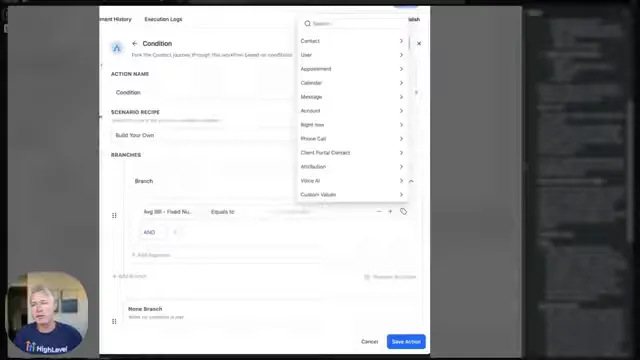
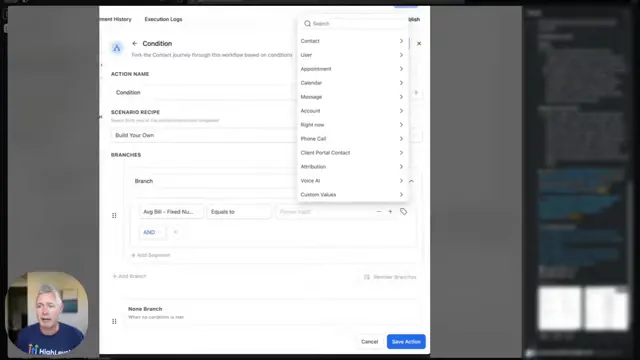
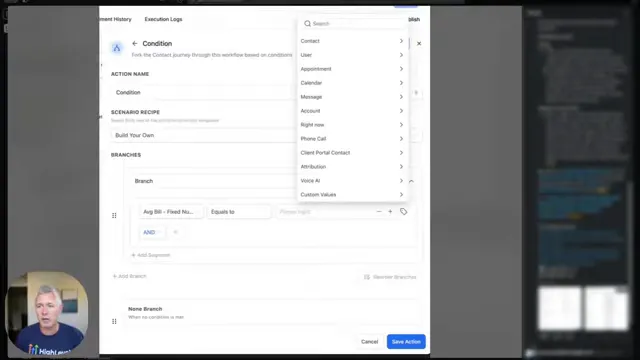
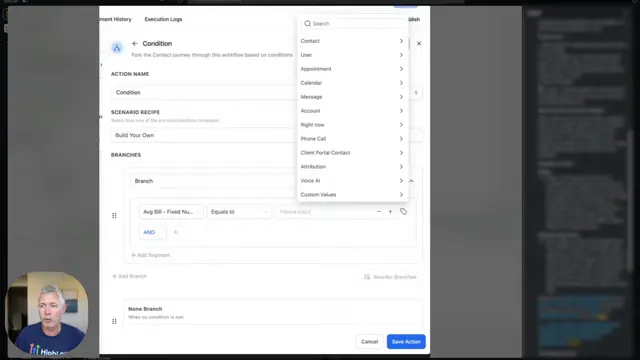
- Replace static values in if/else actions with dynamic custom values—use numeric, date, select, and monetary types where appropriate.
- Use update contact field actions to write dynamic outputs into Lead Connector so all contacts reflect the latest state.
- Enable real-time analytics tracking for those variables to measure impact and optimize thresholds and segmentation.
- Join community groups in GFunnel to share templates and accelerate best-practice adoption: https://www.gfunnel.com/communities
- Iterate quickly—leverage GFunnel’s 103ms autosave to test and deploy without fear of losing work.
Implementation examples: practical snippets
These implementation examples are conceptual descriptions—build them using GFunnel's workflow editor:
- Condition: If payment_total (dynamic monetary field) >= dynamic_threshold then route to 'manager_approval', else 'fulfill_order'.
- Update: After form submission, set contact.appointment_type = submission.appointment_type (select/dropdown field) using update contact field with dynamic input.
- Score: Set contact.lead_score = contact.lead_score + submission.bonus_points (numeric dynamic addition).
Community call — learn and grow with GFunnel
Connect with peers and mentors in niche groups to refine your marketing funnels, share decision logic, and swap templates. Community-driven learning accelerates implementation and reduces trial-and-error. Join E-commerce Pros, SaaS Founders, and specialized groups for restaurants and service providers: https://www.gfunnel.com/communities
Interactive suggestion: Take the "Test Your Business Growth Potential" quiz on GFunnel (search at GFunnel’s homepage) to see which parts of your funnel architecture benefit most from dynamic automation.
Related resources
- GFunnel homepage — overview and ecosystem: https://www.gfunnel.com
- GFunnel automation features: https://www.gfunnel.com/automation-home
- GFunnel funnels: https://www.gfunnel.com/funnel-home
Conclusion and call to action
Marketing funnels must be dynamic, responsive, and integrated. The workflow enhancement Sean described—expanded field support in the dynamic custom value picker for if/else and update contact field actions—enables exactly that: cleaner builds, fewer duplicate fields, and data-driven decisioning that flows from a single source of truth. If you’re using GFunnel, these principles are already supported end-to-end: automation, Lead Connector CRM, real-time analytics, e-commerce, and a powerful editor make implementation fast and reliable.
Small business owners, scale smarter with GFunnel: start by identifying places in your funnel where values are hard-coded, replace those with dynamic variables, and write critical outputs back to contact records. Use GFunnel’s real-time analytics to measure impact and iterate quickly thanks to a 103ms autosave and rapid editor performance. Join GFunnel’s communities to learn and refine best practices and try the platform free at https://www.gfunnel.com/create-account.
Entrepreneurs, ready to transform your marketing funnels and automation? Explore GFunnel’s ecosystem and get started today: https://www.gfunnel.com
Frequently Asked Questions
What is dynamic custom value picking and why does it matter for marketing funnels?
Dynamic custom value picking lets you reference outputs from earlier steps (numeric, date, select, or monetary fields) when evaluating if/else conditions or updating contact fields. For marketing funnels, this enables real-time branching, personalized messaging, and accurate CRM updates without duplicating fields or hard-coding values.
How does GFunnel support automation based on dynamic values?
GFunnel’s automation engine takes dynamic values from form submissions, webhooks, and earlier workflow steps, allowing you to branch, update CRM fields, and trigger sequences based on live data. This reduces manual work by an estimated 50% and improves funnel accuracy.
What makes GFunnel different from other funnel builders?
GFunnel is an all-in-one business platform: it combines marketing funnels, CRM (Lead Connector), automation, real-time analytics, niche communities, and e-commerce tools. This tight integration reduces data silos and accelerates implementation compared to using several separate vendors.
How does the fast autosave benefit my funnel building?
GFunnel’s autosave is engineered with a web worker and saves in ~103ms. That speed (roughly 28x faster than slower editors) reduces the risk of lost edits and lets teams iterate quickly—crucial when you’re testing threshold changes or branching logic that depends on live variables.
Can GFunnel integrate with other systems if I need custom logic or AI?
Yes. GFunnel supports API integrations so you can push variables to external systems (AI engines, specialized analytics, or approval systems) and bring the results back into workflows. This keeps your funnel flexible and extensible.
Additional FAQs (quick answers)
How do I update contact fields with workflow outputs?
Use an Update Contact Field action in your workflow. Switch the input to dynamic value and pick the earlier step’s output (numeric, select, monetary, or date), then save. The contact record updates instantly in Lead Connector.
Which field types are now supported for if/else and update contact field actions?
Numeric (scores, counts), dates, select/drop-downs, and monetary (invoice/order totals). Select/drop-downs in if/else might require option IDs in some setups.
Where can I learn templates and best practices?
Join GFunnel’s communities for industry-specific templates and discussions: https://www.gfunnel.com/communities
Related topics to explore
- Scale Restaurants with GFunnel — restaurant-specific funnels and ordering workflows: https://www.gfunnel.com
- Build marketing funnels with GFunnel — funnel builder and fast autosave: https://www.gfunnel.com/funnel-home
- Automate business operations with GFunnel — automation home and CRM integration: https://www.gfunnel.com/automation-home
Final thoughts
Modern marketing funnels demand dynamic, data-driven decisioning. The ability to use live numeric, date, select, and monetary fields in conditional logic and contact updates simplifies workflows and makes automation more reliable. GFunnel’s integrated ecosystem—automation, Lead Connector CRM, real-time analytics, communities, e-commerce tools, and a blazing-fast editor—lets you implement these ideas quickly and scale with confidence.
Start applying these principles today: audit your workflows for hard-coded values, replace them with dynamic fields, write key outputs to contact records, and measure results with GFunnel’s real-time dashboards. To begin, create an account and explore GFunnel’s tools: https://www.gfunnel.com/create-account