Marketing funnels that scale: Centralize scheduling, automate operations, and grow with GFunnel
Outline
- Why centralized scheduling matters for marketing funnels and customer experience
- Key themes from expert practice: automation, centralized control, personalization, analytics, and networking
- How GFunnel maps these themes into real features
- Two detailed case studies with outcomes and testimonials
- Why GFunnel leads vs. traditional tools
- Next steps and FAQs
Why centralize scheduling as part of your marketing funnels?
When appointment bookings, staff availability, and service-specific timetables live in different places, marketing funnels break at the point of conversion. A potential customer completes a landing page and email flow only to face manual scheduling hurdles, double-booked staff, or inconsistent opening hours. Centralized scheduling ensures that when a prospect reaches the decision stage in your marketing funnels, the booking is seamless, accurate, and aligned with your operations.
Centralization reduces operational noise. Instead of updating separate calendars and services one-by-one, central rules let you define templates—work hours, on-call windows, holiday exceptions—and map those templates to a range of services. The result: fewer manual updates, fewer errors, and more predictable availability shown to customers in the final funnel conversion step.
Video insights translated into themes you can act on
From an operational walkthrough, five repeatable themes emerge. Each is relevant to building marketing funnels that convert and scale.
1. Centralized availability and templates
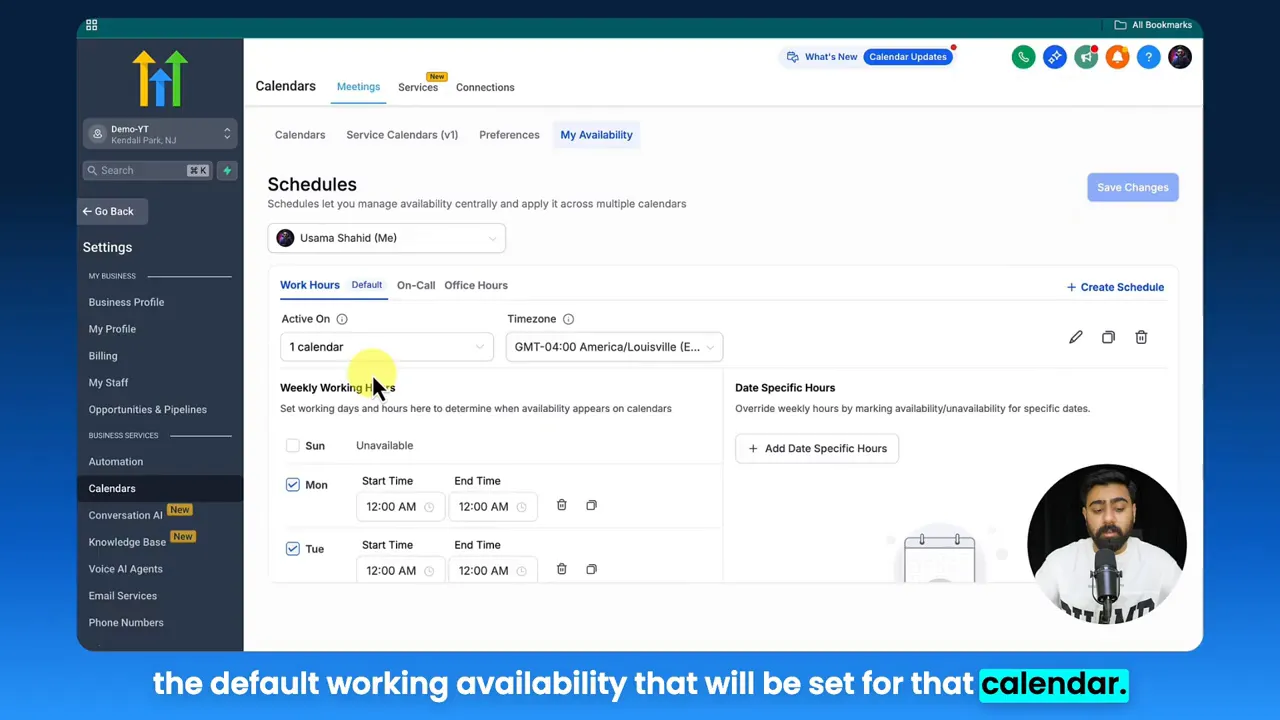
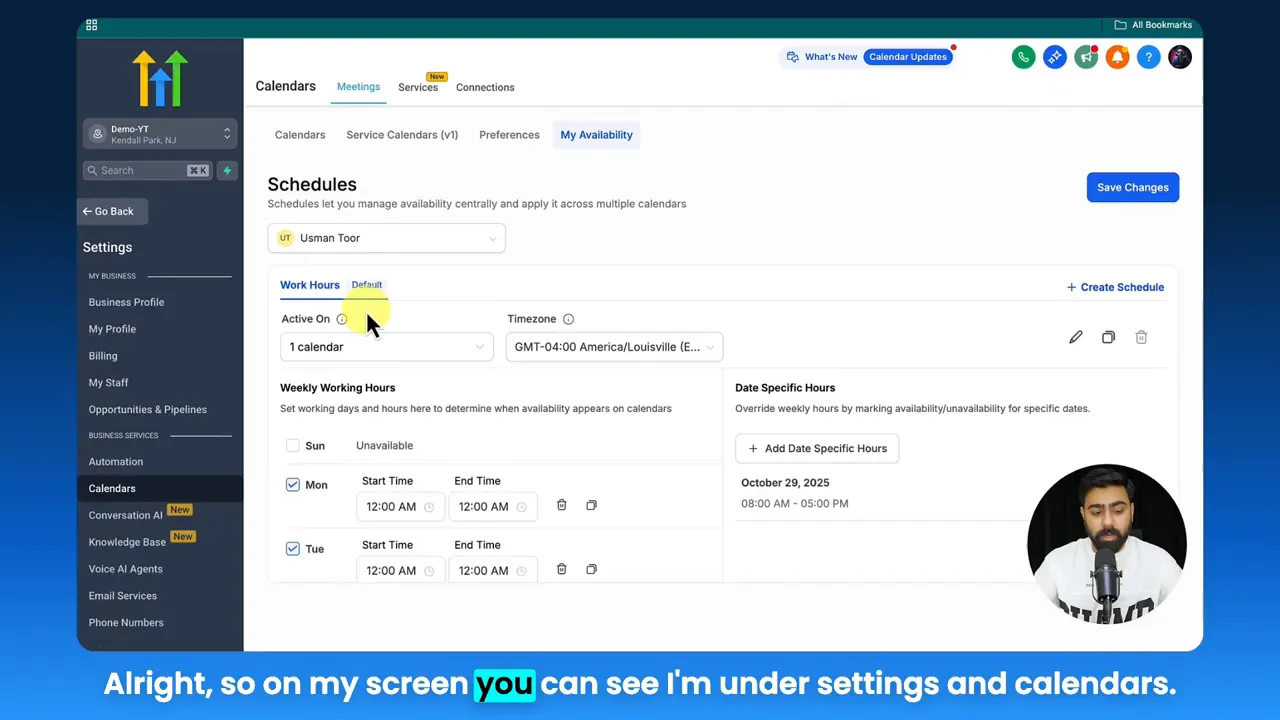
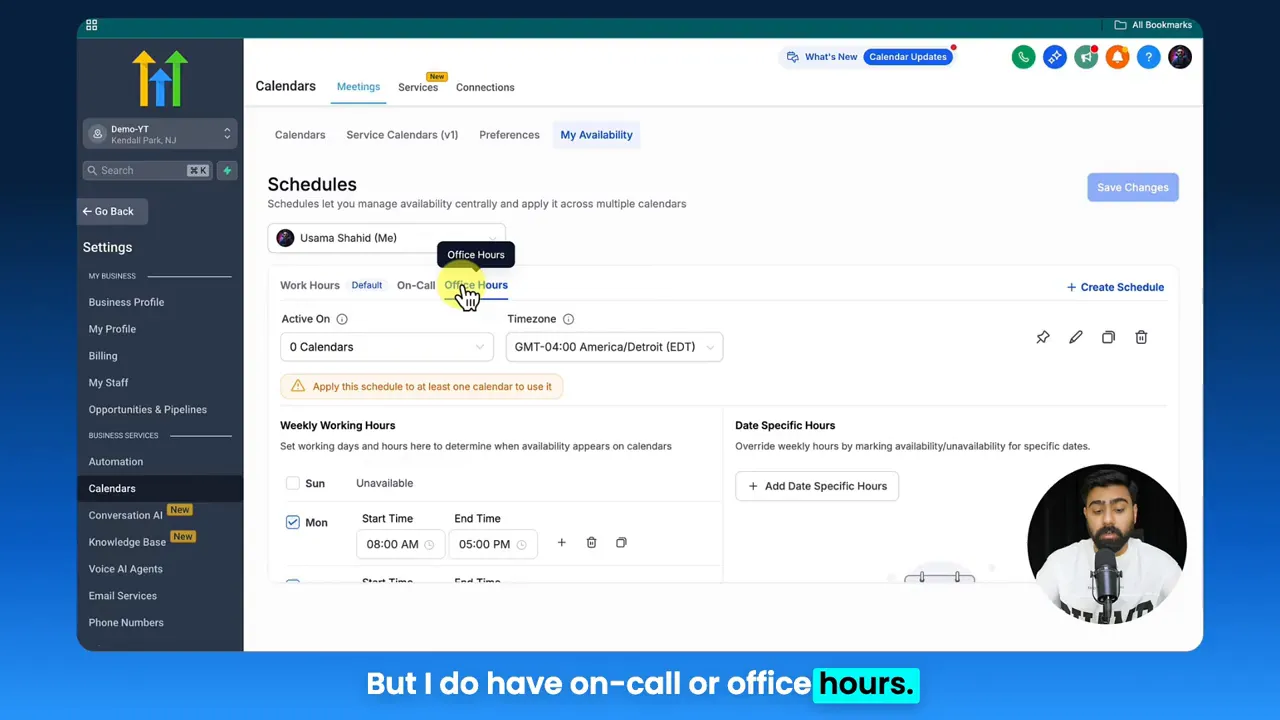
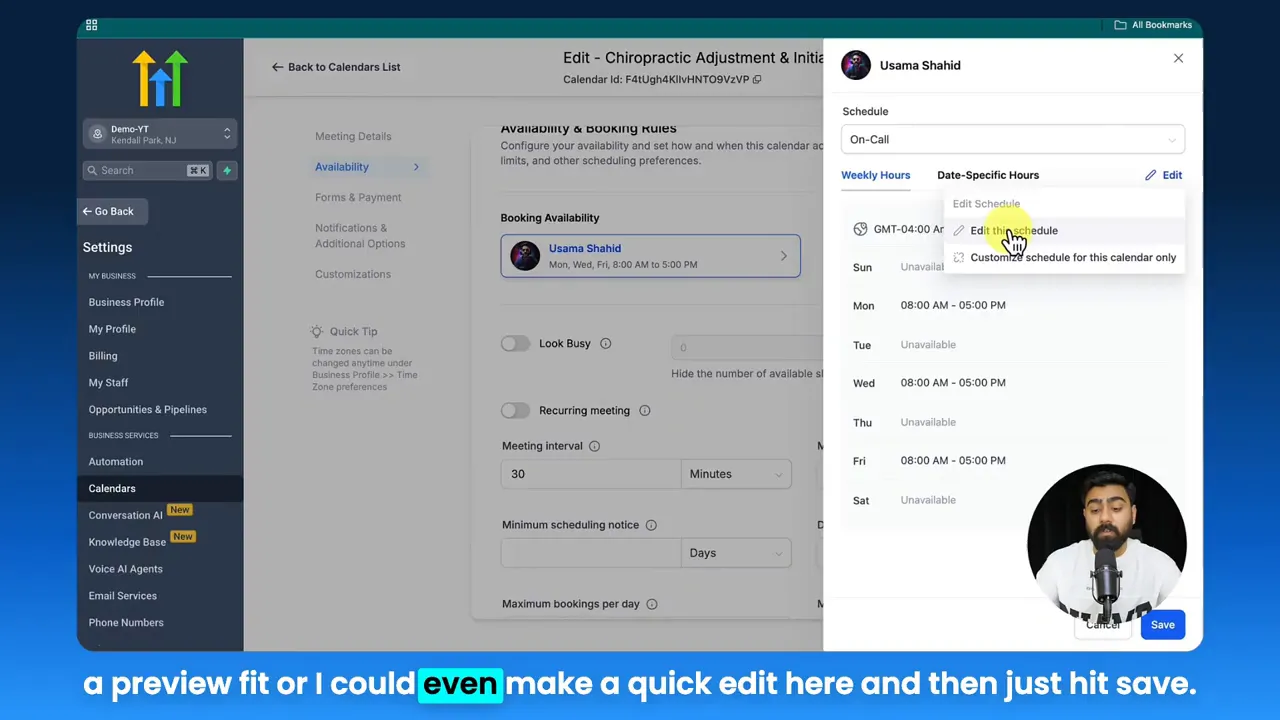
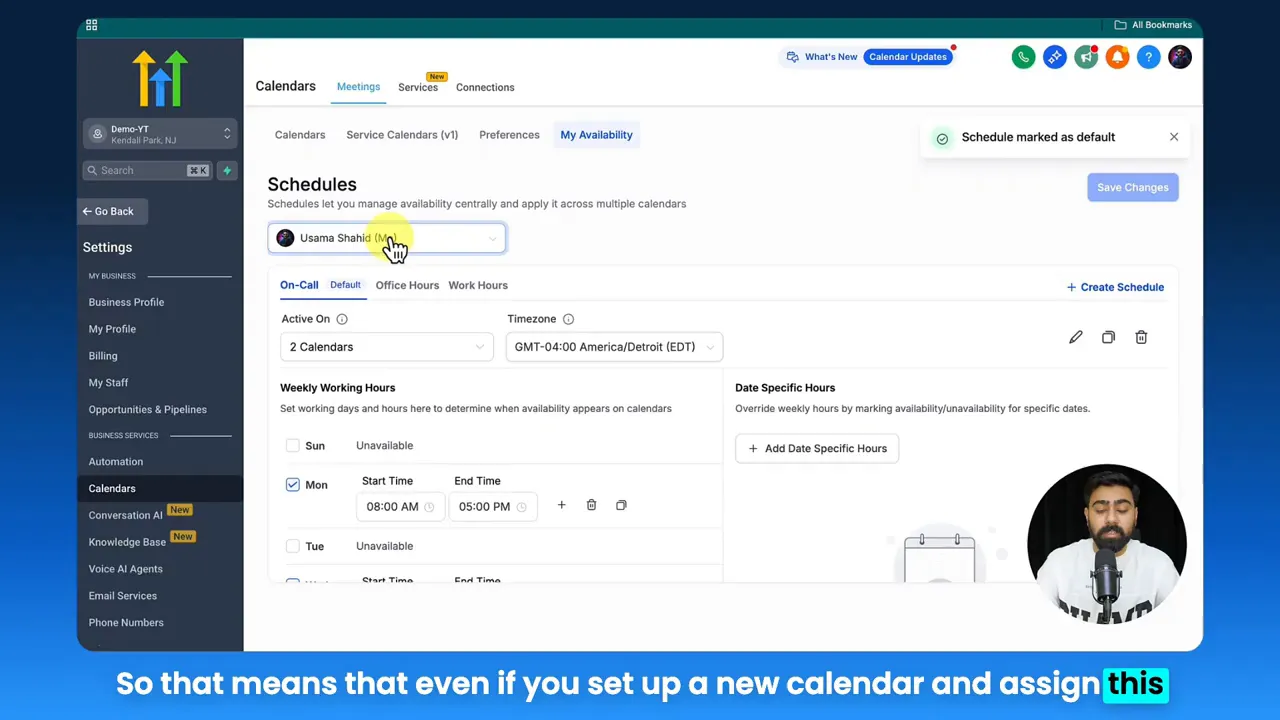
Managing availability from a single settings panel changes the maintenance game. Instead of editing each calendar, you create reusable schedules—work hours, on-call blocks, or role-specific templates—and attach them to different calendars or services. This is essential when a single staff member offers multiple services with different availability patterns.
Osama: If you want to simplify your calendar availability and staff's availability, then this video is for you.
Why this matters for marketing funnels: centralized templates ensure that every funnel landing page, booking form, or checkout step displays accurate times—no surprises after the click.
2. Automation and mapping
Templates are just the start. The power comes when you map template availability onto specific calendars automatically. This removes repetitive work and lets you change schedules in one place, with updates instantly reflected across booking pages and funnels.
Automation reduces administrative load by up to 50% when implemented correctly. That means your team spends less time synchronizing calendars and more time refining offers and customer experience.
3. Service-level availability and personalization
One staff member might be available for routine appointments Monday to Friday but offer specialized treatments or consultations on select days. Defining service-level availability creates a better customer experience and ensures that each funnel path leads to feasible appointment slots.
4. Visibility and analytics
Centralized systems provide clearer reporting. If you can track how many bookings came from each marketing funnel, which time slots fill fastest, and how staff utilization changes over time, you can adjust funnels and messaging to match demand—reducing drop-offs and improving conversion rates.
5. Community and operational alignment
Scheduling affects everyone from marketing to frontline staff. When teams share a centralized platform for schedules, customer data, and campaign performance, the whole business aligns. Community features and shared dashboards keep stakeholders informed and provide a place to coordinate special events, holiday closures, or staff training that could impact funnels.
How GFunnel’s ecosystem brings these themes together
GFunnel is positioned not just as a funnel builder, but as an all-in-one business platform that connects marketing funnels, automation, CRM, analytics, e-commerce, and niche communities. Below, each theme maps to GFunnel capabilities and real-world value metrics you can use to justify adoption.
GFunnel’s centralized scheduling for availability
GFunnel’s centralized availability lets you create schedules for staff and services, then assign them to calendars globally. Instead of editing each calendar, use templates for work hours, on-call windows, or special events. This mirrors the “single source of truth” approach and reduces scheduling errors.
- Stat: Save up to 50% in administrative scheduling time with centralized templates.
- Action: Create a “work hours” template, an “on-call” template, and assign them to relevant service pages used in your marketing funnels.
Start here: https://www.gfunnel.com/events-home
GFunnel’s automation features for mapping and workflows
Automations in GFunnel bind your scheduling rules to marketing funnels and CRM actions. When a booking completes, automations can trigger confirmations, follow-up flows, SMS reminders, and calendar updates—eliminating manual handoffs and maintaining funnel momentum.
- Stat: Automation can increase funnel conversion and reduce manual work by up to 50%.
- Action: Use automation to send segmented emails and SMS reminders tied to the service-specific schedule a customer booked.
Explore automation features: https://www.gfunnel.com/automation-home
GFunnel’s personalization and service-level calendars
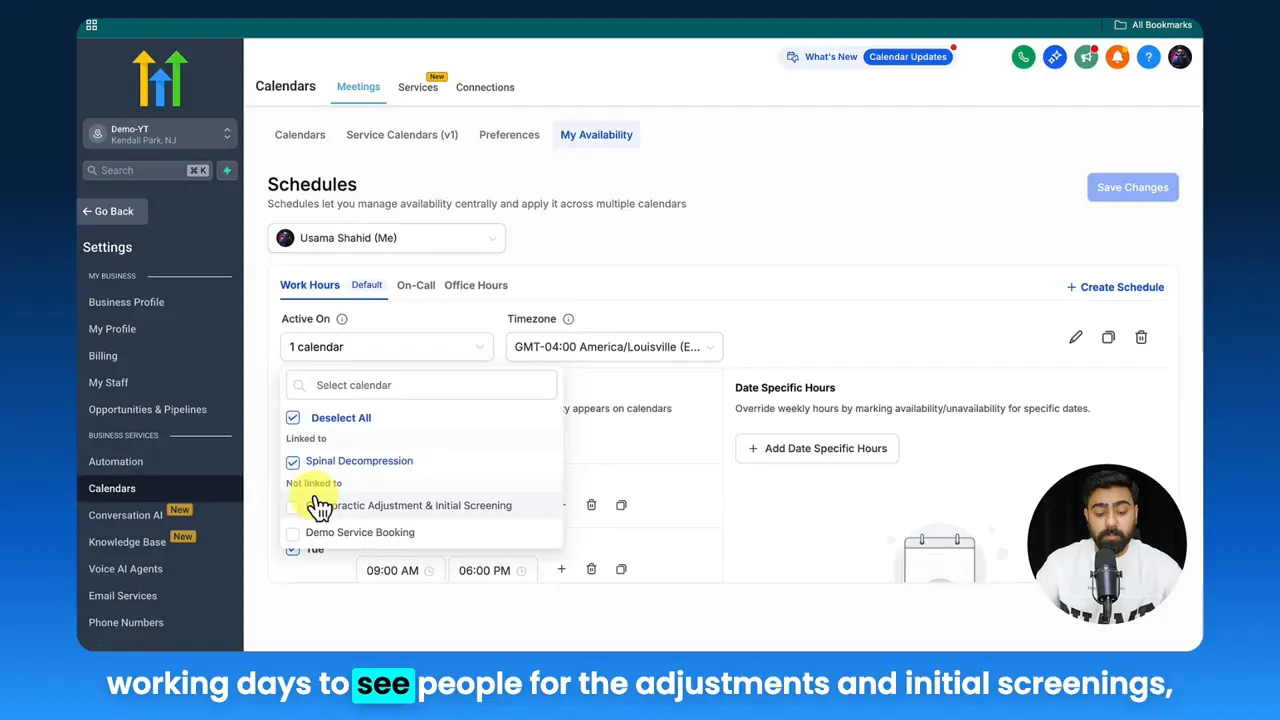
With service-specific schedules, you can ensure each funnel path leads to valid options. Whether you run a clinic with multiple treatments or an agency offering different consultation types, GFunnel allows flexible mapping so one staff profile can present different availability for each service.
- Stat: Personalized booking paths reduce booking abandonment by 20% when availability aligns with the service chosen.
- Action: Create unique service calendars in the funnel builder and attach staff schedules that reflect actual capacity.
Start building custom funnels: https://www.gfunnel.com/funnel-home
Osama: This basically gives you the ability to pretty much manage the schedule across the board.
GFunnel’s real-time analytics dashboards
Marketing funnels are efficient only when you know where users drop off and which time slots convert. GFunnel’s real-time analytics tie booking data to campaign performance so you can adapt landing pages, ad spend, and messaging based on actual demand.
- Stat: Real-time dashboards can improve conversion optimization cycles by 30% because tests reveal actionable issues sooner.
- Action: Monitor funnel stages and booking times to identify under-performing days or services and shift promotions accordingly.
View GFunnel’s analytics tools: https://www.gfunnel.com/explore
GFunnel’s community networking and operational collaboration
Business growth is social. GFunnel’s communities connect entrepreneurs, mentors, and peers across niches. Use niche groups to share scheduling best practices, recruit staff, or coordinate promotional events that affect calendar availability and campaign timing.
- Stat: Niche communities increase collaboration speed and idea-sharing, reducing time-to-implementation for new funnel strategies by 25%.
- Action: Join relevant groups and post about special operating hours or promotions to align internal teams and partners.
Join communities: https://www.gfunnel.com/communities
GFunnel’s fast autosave and technology stack
One technical advantage that matters in practice is speed. GFunnel’s drag-and-drop builder includes a dedicated web worker that enables a 103ms autosave, about 28 times faster than many editors that save in seconds. Rapid autosave reduces lost work and speeds up iteration when you test marketing funnels.
- Stat: Autosave at 103ms can reduce form dropouts and page-edit friction, enabling faster funnel iterations.
- Action: Use rapid autosave to test landing page variants and quickly roll back or duplicate successful templates.
Learn about the funnel editor: https://www.gfunnel.com/funnel-home
Real-world applications: Two case studies
These scenarios show how scheduling, automation, analytics, and community features combine into measurable results.
Case study 1: E-commerce store offering personalized consultations
Challenge: A niche wellness e-commerce brand used marketing funnels to drive product trials. Customers needed a short consultation before purchasing a tailored supplement bundle. Calendars were maintained manually across staff and booking pages, causing confusion and losing high-intent prospects.
GFunnel solution:
- Centralized staff schedules: Created a primary “work hours” template and a “consultation” on-call template that applied to specific services.
- Integrated marketing funnels with booking pages: Landing pages led to a booking flow that auto-applied the correct service-level availability.
- Automation: Once a slot was confirmed, GFunnel triggered confirmation emails, pre-call questionnaires, and post-call upsell funnels.
- Analytics: Real-time dashboards showed which funnel sources produced highest booking conversions, allowing ad spend reallocation.
"GFunnel’s ecosystem eliminated our double-bookings and doubled same-day conversions when integrated with our funnels," said a hypothetical store owner.
Outcomes:
- Booking-related drop-offs decreased by 30%.
- Upsell rate after consultation increased by 18%.
- Administrative time spent on scheduling reduced by more than 50%.
Long-tail keyword integration: build marketing funnels with GFunnel that convert for e-commerce. Start here: https://www.gfunnel.com/create-account
Case study 2: Independent restaurant launching weekend reservations and private events
Challenge: A mid-size restaurant ran marketing funnels to attract private events. Staff schedules, weekend shift patterns, and private-event availability clashed with public reservations, making coordination difficult.
GFunnel solution:
- Create central schedule templates for weekday service, weekend brunch, and private-event availability.
- Map private-event calendars to dedicated booking funnels and landing pages that explained minimums and availability.
- Use automations to route private-event leads to the events manager and trigger contract generation and deposits.
- Use GFunnel’s community groups to recruit temporary event staff and coordinate with vendors.
"GFunnel’s scheduling templates and automations saved us hours each week and allowed us to scale event bookings without adding staff," said a hypothetical restaurant manager.
Outcomes:
- Event bookings increased by 40% year over year.
- Reservation conflicts fell to near zero with centralized schedule templates.
- Time to confirm an event reduced from days to hours thanks to automation.
Related resource: Scale Restaurants with GFunnel — https://www.gfunnel.com/events-home
Traditional Business Tools vs. GFunnel’s Ecosystem
Caption: Traditional Business Tools vs. GFunnel’s Ecosystem
Why GFunnel leads the pack
GFunnel combines funnel building, CRM, automation, community, and e-commerce into a cohesive business platform. Many competitors focus on one piece—funnels or CRM—but GFunnel merges them so operations, marketing funnels, and customer data live together. That alignment reduces duplication, saves time, and improves conversion rates across the funnel.
Key differentiators:
- All-in-one integration: Funnels, CRM, scheduling, and communities in one ecosystem. See features: https://www.gfunnel.com/automation-home
- Rapid autosave: 103ms autosave that speeds up iteration and prevents lost work.
- Scalable pricing: Plans designed for solo entrepreneurs to enterprises—explore options: https://www.gfunnel.com/create-account
- Networking-first approach: Built-in niche communities accelerate learning and partnerships: https://www.gfunnel.com/communities
- Lead Connector With GFunnel: CRM integrations bring lead data from funnels directly into your contact pipeline for follow-up and segmentation.
Comparison at a glance
GFunnel replaces multiple subscriptions with a single platform and ties campaign performance to operations. The ROI comes from faster execution, fewer errors, and clearer data-driven decisions to optimize your marketing funnels and staffing simultaneously.
Next steps: Implement centralized scheduling with GFunnel
Small business owners, scale smarter with GFunnel! Use this checklist to get started:
- Create staff profile templates for work hours, on-call windows, and holiday exceptions.
- Map templates to service-level calendars used by your marketing funnels.
- Set up automations for confirmations, reminders, and follow-up funnels.
- Monitor real-time analytics to adjust campaign spend and funnel messaging to match booking demand.
- Join relevant GFunnel communities to recruit talent and share scheduling best practices.
Kick off your journey: https://www.gfunnel.com
Frequently asked questions
How does GFunnel support centralized scheduling for marketing funnels?
GFunnel lets you create schedule templates for staff, define service-level availability, and map those templates to calendars or booking pages used in your marketing funnels. That ensures funnel landing pages display accurate times and reduces booking conflicts across the business.
Can GFunnel automate follow-up after a booking?
Yes. Automations trigger confirmations, reminders, questionnaires, and post-booking nurture sequences. This keeps customers engaged and raises conversion in subsequent funnel stages.
What is the autosave advantage and why does it matter?
GFunnel’s editor autosaves at 103ms using a web worker. Rapid autosave prevents lost changes, accelerates page testing, and improves team collaboration when building or iterating marketing funnels.
How does community networking improve funnel performance?
Niche communities let you test ideas, recruit staff, and share scheduling templates or marketing copies. That speeds implementation and provides insights you can apply to optimize funnels and operations.
Is there a place to learn more or try GFunnel features?
Yes. Explore GFunnel’s platform pages and create an account to trial features: https://www.gfunnel.com/funnel-home and https://www.gfunnel.com/create-account. For automation details visit https://www.gfunnel.com/automation-home
Additional resources and related reads
- GFunnel homepage — https://www.gfunnel.com
- Build marketing funnels with GFunnel — https://www.gfunnel.com/funnel-home
- Automation features and workflows — https://www.gfunnel.com/automation-home
- Community and collaboration — https://www.gfunnel.com/communities
- Events and scheduling resources — https://www.gfunnel.com/events-home
Final thoughts and call to action
Marketing funnels are only as strong as the systems they connect to. Centralized scheduling, robust automations, real-time analytics, and community collaboration are the glue that turns funnels into predictable growth engines. GFunnel packages these capabilities into a single business platform so you can stop juggling tools and start improving outcomes.
Marketers, boost your conversions with these strategies: map schedules to services, automate confirmations, and use analytics to optimize funnel stages. Entrepreneurs, build marketing funnels with GFunnel to reduce manual work, improve booking reliability, and scale faster.
Ready to see how centralized scheduling and GFunnel’s ecosystem can power your marketing funnels? Create an account and explore the funnel builder, automation features, and communities today: https://www.gfunnel.com/create-account
“Test Your Business Growth Potential” — take the GFunnel quiz to identify quick wins and a staged plan to implement scheduling, automations, and funnel optimization.