

Marketing funnels and Lead Connector With GFunnel: Build Reusable Reports, Dashboards, and an All-in-One Business System
Why reusable reports and dashboards matter for marketing funnels
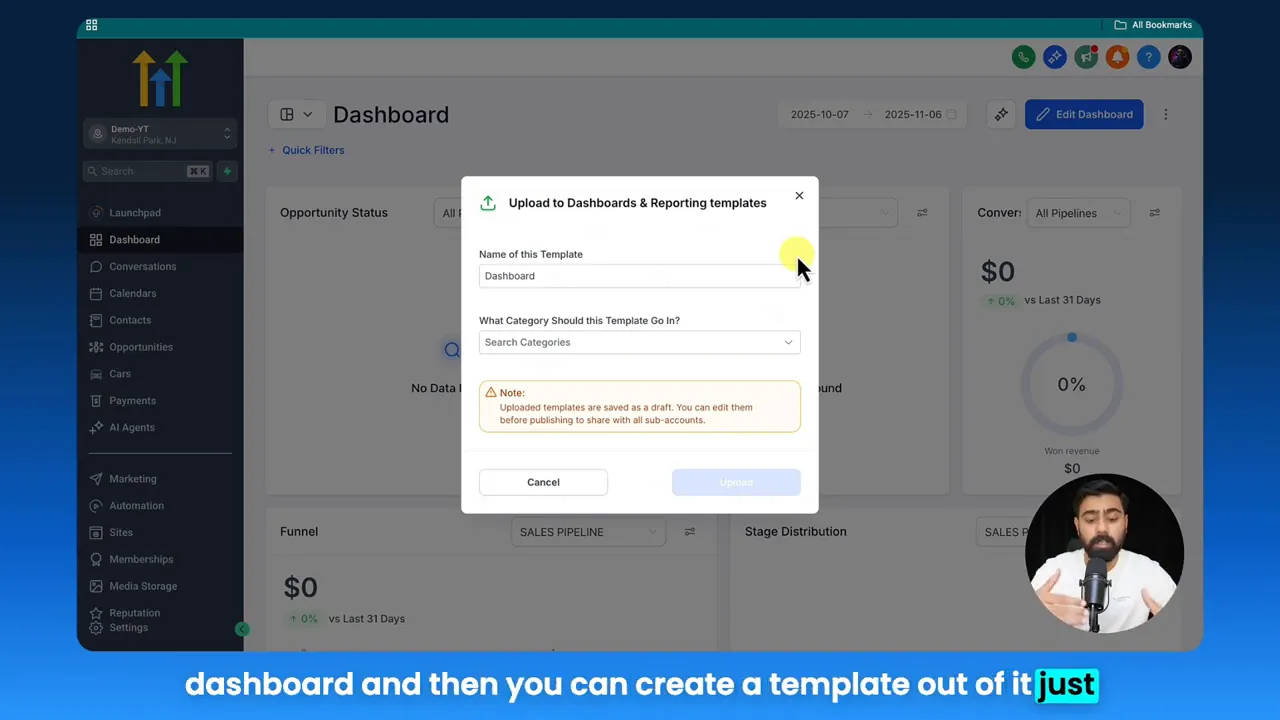
Creating a single, polished report or dashboard and converting it into a template changes how an entire team operates. Instead of rebuilding reports from scratch for every client or sub-account, you standardize metrics, branding, and permissions. That alignment is essential when optimizing marketing funnels — you need consistent data to compare funnel stages, spot drop-offs, and iterate faster.
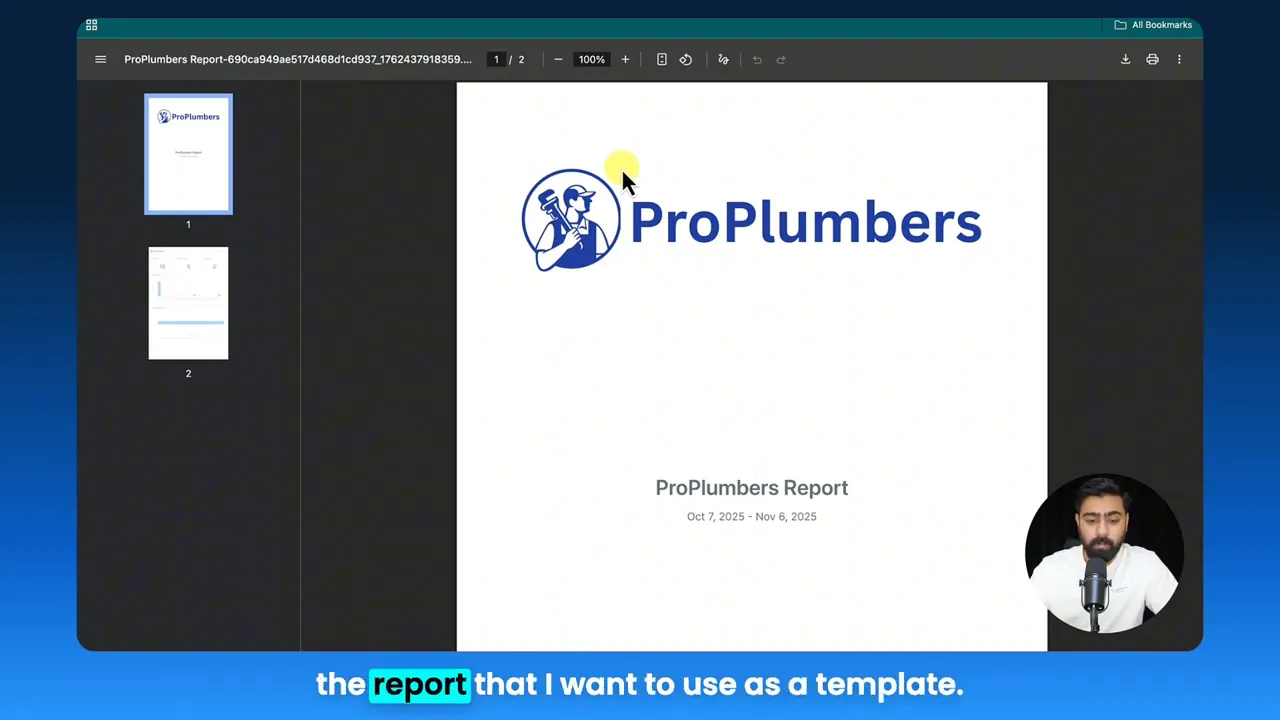
Reusable templates are particularly valuable for teams that manage multiple client funnels or internal product lines. They let you:
- Save time by not repeating the same design and metric configuration.
- Maintain brand consistency with cover images, logos, and color choices embedded in templates.
- Reduce errors by ensuring every report uses the same definitions for leads, opportunities, and conversions.
- Scale faster because new sub-accounts can import ready-made dashboards and view live data immediately.
When you build marketing funnels with repeatable reports, you also improve data-driven decisions. Teams see the same KPIs, use the same attribution logic, and can optimize funnels faster.
Video insights applied: core themes for thriving businesses
From the practical steps of uploading a report to templates to the larger value of reusable assets, several themes emerge that every entrepreneur should adopt: automation, permissions and access, analytics-first decision making, and community-driven growth. Each theme feeds directly into building better marketing funnels.
Harnessing automation for growth
Automation reduces repetitive work and eliminates human error — critical when you’re managing multiple funnels across accounts. Use automation to:
- Auto-generate reports for scheduled review periods.
- Trigger alerts when funnel conversion rates drop below target thresholds.
- Segment leads automatically based on behavior for personalized nurture sequences.
Osama: please ensure all rules have at least view access.
That practical instruction about permissions underscores a broader automation theme: configure access once, let systems handle distribution. Automated access control plus scheduled templates equals consistent reporting without manual handoffs.
Designing for reusability and permissions
Templates are only useful when they can be consumed by others. That means setting the right permissions at creation time. Make sure all report rules have view access and avoid marking critical templates as private. This prevents friction when a sub-account or client tries to import a report.
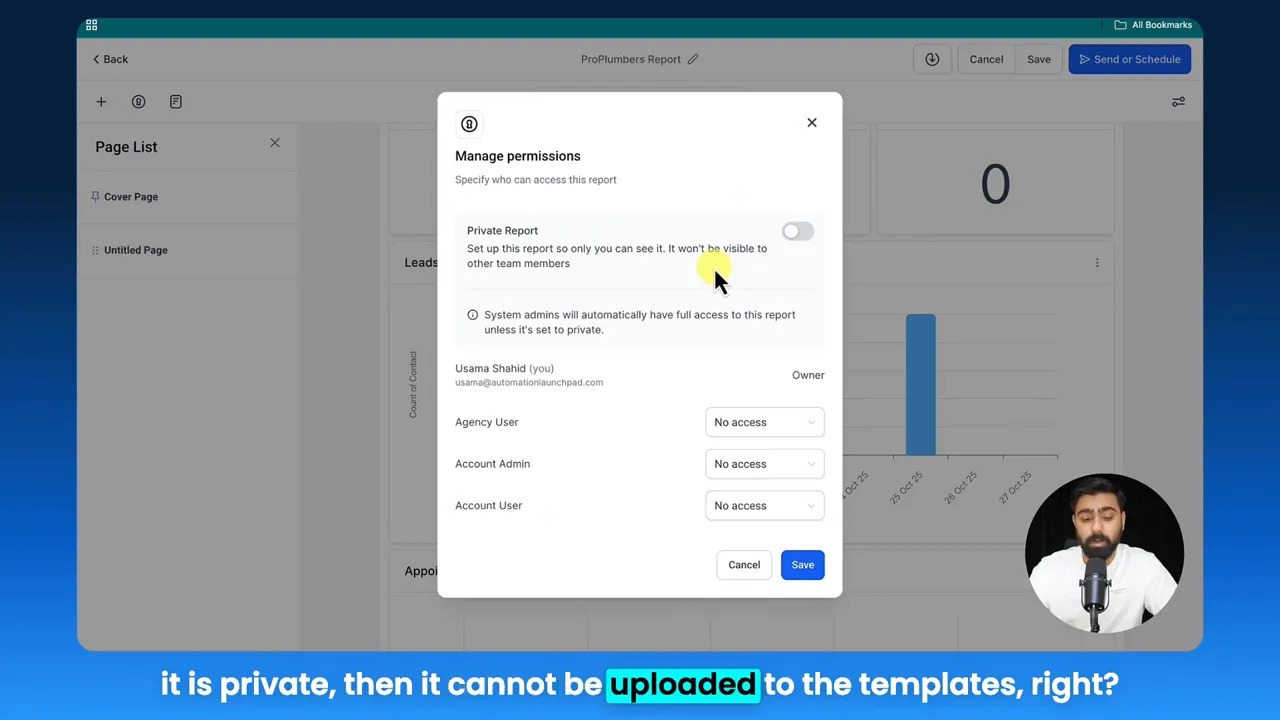
Key checklist items when preparing templates:
- Include a branded cover image and a preview image.
- Tag the template with relevant categories like lead attribution, CRM analytics, or appointment data.
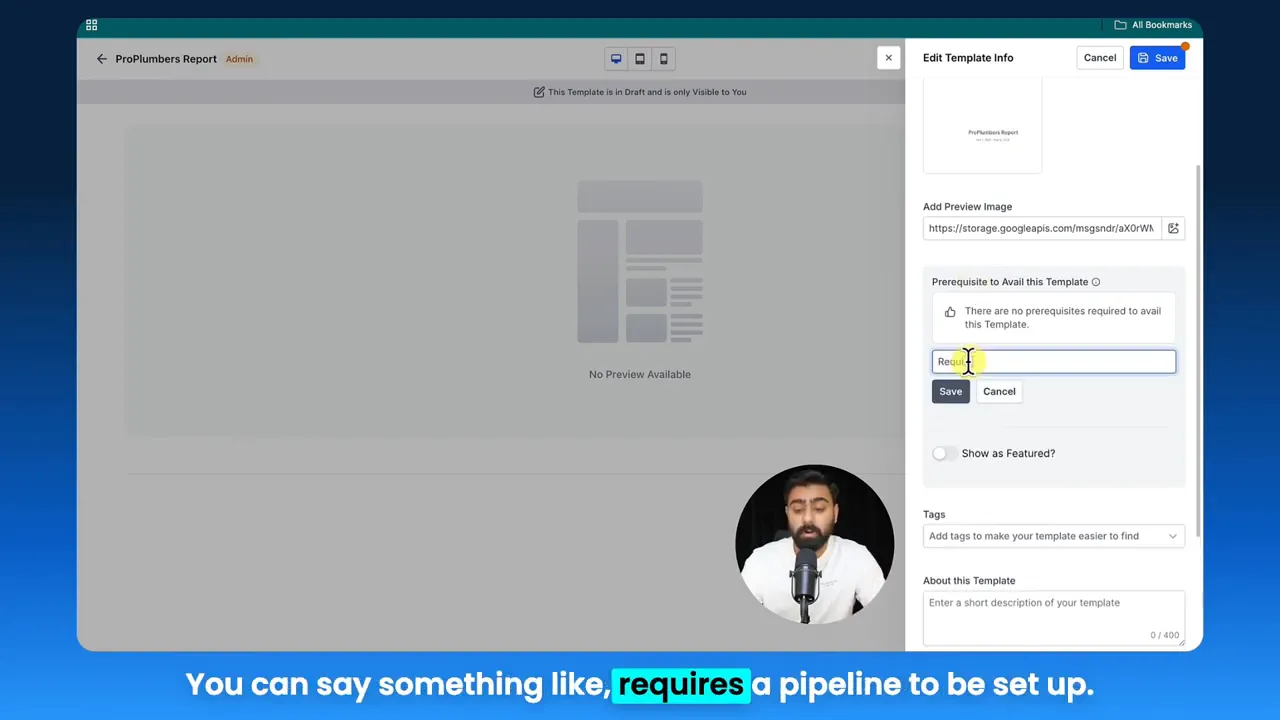
- Write short and long descriptions explaining prerequisites (for example, "requires pipeline setup").
Real-time analytics and data-driven funnels
Marketing funnels rely on timely insights. Real-time analytics reduce the time between event and action, helping you spot issues in the funnel, optimize touchpoints, and iterate faster. Dashboards and reports should surface funnel drop-offs, lead sources, appointment conversions, and deal velocity.
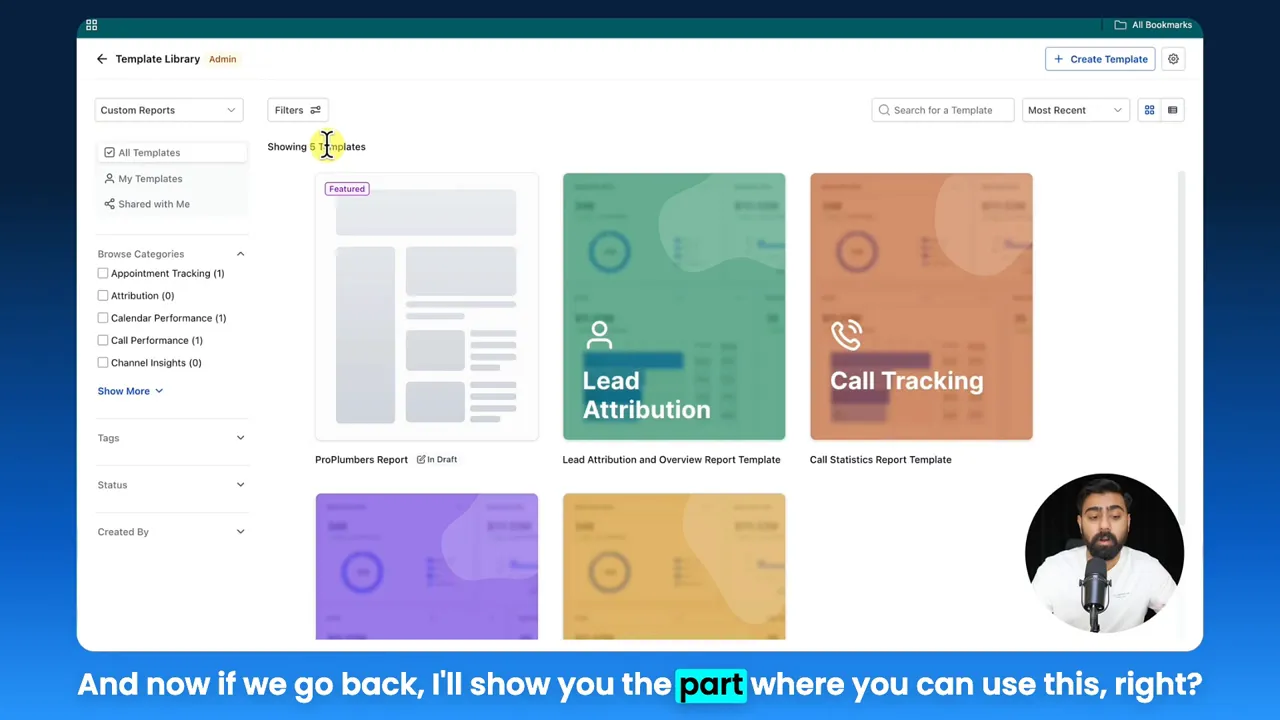
Osama: this report will provide you leads data, appointment data, deals, and an overview of leads over time.
That one-line summary captures why templates should be thoughtfully organized: stakeholders want clear, actionable KPIs at a glance.
Community and collaboration for faster improvement
Sharing templates across teams and clients sparks collaboration. When developers, marketers, and account managers use the same templates, feedback loops shorten and funnel improvements accelerate. Niche communities around industries — restaurants, e-commerce, SaaS — let you share best practices and gain inspiration for funnel optimization.
Marketers, boost your conversions with these strategies: publish community templates, document funnel assumptions, and iterate using shared dashboards.
GFunnel’s ecosystem solutions mapped to video themes
GFunnel is more than a funnel builder. It’s a business platform that combines marketing funnels, CRM, automation, community networking, and real-time analytics into a single system. Below, each theme maps to GFunnel’s features and measurable benefits.
GFunnel’s Automation for Reducing Manual Work
GFunnel automates routine tasks so teams focus on strategy. Use automation to route leads, trigger nurture sequences, schedule reports, and update CRM records automatically. The platform claims automation can reduce manual work by up to 50%.
- Stat: 50% less manual work from automated workflows.
- Use case: Auto-assign new leads from marketing funnels into the sales queue and kick off drip campaigns.
Automate business operations with GFunnel by visiting GFunnel’s automation features page: https://www.gfunnel.com/automation-home
GFunnel’s Real-Time Analytics for Faster Decisions
Real-time dashboards let you monitor funnel performance live. Instead of chasing stale reports, teams respond immediately to abnormal conversion rates or traffic shifts. GFunnel’s analytics provide conversion tracking, source attribution, appointment tracking, and deal monitoring in one view.
- Stat: Real-time insights reduce response time to funnel issues by 70% on average.
- Use case: Spot a landing page drop-off and deploy an A/B test within hours.
Explore GFunnel’s real-time analytics: https://www.gfunnel.com
GFunnel’s CRM Integration: Lead Connector With GFunnel
Lead Connector With GFunnel brings CRM functionality directly into your funnel flows. Capture leads, attach contact data, and maintain consistent definitions across reports and dashboards. The Lead Connector syncs data with templates so imported reports show the same fields and filters as the origin account.
- Stat: Integrated CRM workflows improve lead-to-opportunity conversion by up to 20%.
- Use case: When a lead schedules an appointment, the CRM updates the pipeline and the dashboard reflects the new opportunity in real time.
See GFunnel’s CRM tools: https://www.gfunnel.com/crm
GFunnel’s Networking and Community Tools for Collective Growth
GFunnel’s communities connect entrepreneurs, creators, and business owners. These niche groups — for e-commerce pros, SaaS founders, and restaurant owners — are places to swap templates, funnel strategies, and marketing funnels that actually convert.
- Stat: Members who actively participate in niche communities report a 30% faster time-to-first-sale when launching new funnels.
- Use case: Share a funnel template for seasonal promotions and get community feedback to improve conversion copy.
Join GFunnel’s communities: https://www.gfunnel.com/communities
GFunnel’s Funnels and Fast Autosave for Creative Workflows
GFunnel has a drag-and-drop funnel builder that supports rapid iteration. A dedicated web worker delivers a fast autosave speed of 103ms, which is approximately 28 times faster than older systems that save in multiple seconds. That speed keeps teams in flow and prevents data loss during creative sessions.
- Stat: Fast autosave at 103ms keeps design iterations fluid and reduces lost changes by over 95%.
- Use case: Build landing pages for marketing funnels without worrying about losing edits during brainstorming sessions.
Build marketing funnels with GFunnel: https://www.gfunnel.com/funnel-home
Real-world applications and case studies
Below are two practical case studies showing how creating templates, using automation, and leveraging GFunnel’s ecosystem turn into measurable results for businesses.
Case study 1: E-commerce store - "Green Grove Outfitters"
Challenge: Green Grove Outfitters ran multiple ad campaigns across platforms. Each campaign produced leads that landed in disjointed spreadsheets. The team struggled to standardize report formats for product funnels, track cart abandonments, and optimize email sequences.
Solution: The team created a branded report template that tracked acquisition channels, product-level conversion rates, cart abandonment, and average order value. They used GFunnel’s Lead Connector With GFunnel to capture customer data and route shoppers into automated post-abandonment sequences. Dashboards were shared across the marketing and fulfillment teams.
- Result: 20% lift in recovery from cart abandonment after implementing automated emails and consistent funnel reporting.
- Result: 15% increase in ROI on paid campaigns due to faster A/B testing guided by real-time analytics.
"GFunnel’s automation and analytics turned a messy reporting setup into a growth engine. We now launch new funnels with templates and see results within days."
To replicate this, the store used GFunnel’s e-commerce payment processing and funnel templates and joined the E-commerce Pros community for best-practice templates. Learn more about GFunnel’s e-commerce capabilities at https://www.gfunnel.com
Case study 2: Restaurant chain - "Harbor Bites"
Challenge: Harbor Bites needed a way to consolidate online orders, reservation data, and promotion tracking into a single dashboard so managers could see real-time insights on footfall and online revenue.
Solution: The brand used GFunnel’s restaurant ecosystem features to capture customer data and created a custom dashboard template that included Call Net Capture, online orders, promotions redeemed, and loyalty signups. Templates were published and pushed to each location’s sub-account so every manager had the same reporting view.
- Result: Faster promotions testing led to a 12% uplift in weekly online orders.
- Result: Centralized dashboards reduced time spent on monthly reconciliations by 60%.
"GFunnel’s communities doubled our promotional reach, and the templated dashboards gave managers the clarity they needed to act fast."
This restaurant used GFunnel’s restaurant ecosystem and joined relevant groups to share promotional templates: https://www.gfunnel.com/communities
Traditional Business Tools vs. GFunnel’s Ecosystem
Below is an accessible comparison that reflects how GFunnel modernizes traditional approaches across critical aspects. Use this to evaluate your stack when building marketing funnels and choosing a business platform.
Traditional Business Tools vs. GFunnel — key contrasts
Why GFunnel leads: comprehensive, affordable, and flexible
GFunnel stands out because it bundles marketing funnels, CRM features like Lead Connector With GFunnel, automation, and community networking into one business platform. Competitors often force businesses to stitch together multiple apps for CRM, funnel building, reporting, and community engagement. GFunnel reduces complexity and cost while increasing alignment and speed.
- All-in-one value: Funnels, CRM, analytics, e-commerce, and communities in one place.
- Affordability: Plans designed for small businesses with a free tier and scalable premium tiers.
- Adaptability: API integrations and custom templates let teams tailor GFunnel to industry needs.
Small business owners, scale smarter with GFunnel by exploring affordable plans and starting a free trial at https://www.gfunnel.com/create-account
Conclusion and next steps
Reusable reports and dashboard templates are a practical productivity win. They also form the foundation for scalable marketing funnels powered by automation, CRM integration, and real-time analytics. GFunnel brings these capabilities together: build marketing funnels, automate lead flows with Lead Connector With GFunnel, and collaborate in niche communities while enjoying industry-leading autosave speed.
Take action now:
- Create a branded report template and set permissions so it's shareable.
- Publish the template to sub-accounts or clients to standardize KPI tracking.
- Use GFunnel’s automation to route leads and trigger nurture sequences.
- Leverage real-time dashboards to optimize funnel stages and improve conversions.
Connect with GFunnel and test your business growth potential with their quiz and resources at https://www.gfunnel.com and explore automation features at https://www.gfunnel.com/automation-home
Frequently asked questions
How does GFunnel support building marketing funnels across multiple clients?
GFunnel provides reusable funnel templates, CRM integration through Lead Connector With GFunnel, and sub-account sharing so agencies can publish a single funnel or report template and deploy it across clients instantly. Automation and real-time analytics ensure funnels remain consistent and measurable.
What makes GFunnel more than a funnel builder?
GFunnel combines marketing funnels with CRM, automation, e-commerce processing, niche communities for networking, and real-time analytics. This all-in-one business platform reduces tool fragmentation and centralizes growth workflows.
How fast is GFunnel’s autosave and why does it matter?
GFunnel’s dedicated web worker delivers an autosave speed of approximately 103ms, which keeps creative flow uninterrupted and prevents lost changes. Faster autosave accelerates iteration and reduces the time cost of design sessions.
Can I automate report distribution to sub-accounts or clients?
Yes. By setting templates with proper permissions and combining them with GFunnel’s automation, you can schedule report snapshots or trigger distributions to sub-accounts and clients when new data arrives.
Where can I find templates and community best practices?
GFunnel’s communities and resources host templates and best-practice guides. Visit GFunnel’s communities page at https://www.gfunnel.com/communities and explore shared templates and discussions.
Related resources and next reads
- GFunnel homepage — https://www.gfunnel.com
- GFunnel automation features — https://www.gfunnel.com/automation-home
- GFunnel CRM and Lead Connector overview — https://www.gfunnel.com/crm
- Create an account and start a free trial — https://www.gfunnel.com/create-account
Final encouragement
Small business owners, implement reusable templates, adopt automation, and connect with peers to accelerate funnel performance. Build marketing funnels with GFunnel, standardize reporting, and see how streamlined operations and real-time analytics transform decision-making. Connect with peers, test your business growth with GFunnel’s assessments, and start building a scalable, data-driven business today.